<?xml version="1.0" encoding="UTF-8"?>
<rss version="2.0"
	xmlns:content="http://purl.org/rss/1.0/modules/content/"
	xmlns:wfw="http://wellformedweb.org/CommentAPI/"
	xmlns:dc="http://purl.org/dc/elements/1.1/"
	xmlns:atom="http://www.w3.org/2005/Atom"
	xmlns:sy="http://purl.org/rss/1.0/modules/syndication/"
	xmlns:slash="http://purl.org/rss/1.0/modules/slash/"
	>

<channel>
	<title>Iceland Aurora Photographic &#187; workshop</title>
	<atom:link href="http://icelandaurora.com/blog/tag/workshop/feed/" rel="self" type="application/rss+xml" />
	<link>http://icelandaurora.com/blog</link>
	<description>Photography Techniques Weblog</description>
	<lastBuildDate>Sat, 14 Jan 2012 16:54:53 +0000</lastBuildDate>
	<language>en</language>
	<sy:updatePeriod>hourly</sy:updatePeriod>
	<sy:updateFrequency>1</sy:updateFrequency>
	<generator>http://wordpress.org/?v=3.3.1</generator>
		<item>
		<title>Night Photography 2 &#8211; overcoming the darkness</title>
		<link>http://icelandaurora.com/blog/2009/11/27/night-photography-2-overcoming-the-darkness/#utm_source=feed&#038;utm_medium=feed&#038;utm_campaign=feed</link>
		<comments>http://icelandaurora.com/blog/2009/11/27/night-photography-2-overcoming-the-darkness/#comments</comments>
		<pubDate>Fri, 27 Nov 2009 05:20:30 +0000</pubDate>
		<dc:creator>Tony</dc:creator>
				<category><![CDATA[Photography Techniques]]></category>
		<category><![CDATA[aurora borealis]]></category>
		<category><![CDATA[bracketting]]></category>
		<category><![CDATA[camera]]></category>
		<category><![CDATA[composition]]></category>
		<category><![CDATA[dark]]></category>
		<category><![CDATA[depth of field]]></category>
		<category><![CDATA[digital]]></category>
		<category><![CDATA[DOF]]></category>
		<category><![CDATA[DSLR]]></category>
		<category><![CDATA[exposure]]></category>
		<category><![CDATA[focus]]></category>
		<category><![CDATA[hdr]]></category>
		<category><![CDATA[highlights]]></category>
		<category><![CDATA[hyperfocal distance]]></category>
		<category><![CDATA[iceland]]></category>
		<category><![CDATA[image]]></category>
		<category><![CDATA[landscape]]></category>
		<category><![CDATA[light]]></category>
		<category><![CDATA[long exposure]]></category>
		<category><![CDATA[multiple exposure]]></category>
		<category><![CDATA[night photography]]></category>
		<category><![CDATA[photography]]></category>
		<category><![CDATA[pictures]]></category>
		<category><![CDATA[spirit level]]></category>
		<category><![CDATA[white balance]]></category>
		<category><![CDATA[wonky horizons]]></category>
		<category><![CDATA[workshop]]></category>

		<guid isPermaLink="false">http://icelandaurora.com/blog/?p=796</guid>
		<description><![CDATA[<p>So you have the night photography bug. You sit twiddling your thumbs in the daylight hours waiting for the light to fade so that you can go out and leave your camera perfectly still with its  shutter open for many tens of minutes.  You are not alone!!</p>]]></description>
		<wfw:commentRss>http://icelandaurora.com/blog/2009/11/27/night-photography-2-overcoming-the-darkness/feed/</wfw:commentRss>
		<slash:comments>6</slash:comments>
		</item>
		<item>
		<title>Advanced Photoshop &#8211; Dramatic Mono Conversion</title>
		<link>http://icelandaurora.com/blog/2009/11/01/advanced-photoshop-dramatic-mono-conversion/#utm_source=feed&#038;utm_medium=feed&#038;utm_campaign=feed</link>
		<comments>http://icelandaurora.com/blog/2009/11/01/advanced-photoshop-dramatic-mono-conversion/#comments</comments>
		<pubDate>Sun, 01 Nov 2009 12:31:16 +0000</pubDate>
		<dc:creator>Tony</dc:creator>
				<category><![CDATA[Photoshop Techniques]]></category>
		<category><![CDATA[adjustment]]></category>
		<category><![CDATA[black and white conversion]]></category>
		<category><![CDATA[Burn]]></category>
		<category><![CDATA[contrast]]></category>
		<category><![CDATA[curves]]></category>
		<category><![CDATA[digital]]></category>
		<category><![CDATA[Dodge]]></category>
		<category><![CDATA[DSLR]]></category>
		<category><![CDATA[dynamic range]]></category>
		<category><![CDATA[exposure]]></category>
		<category><![CDATA[hdr]]></category>
		<category><![CDATA[highlights]]></category>
		<category><![CDATA[image]]></category>
		<category><![CDATA[layers]]></category>
		<category><![CDATA[levels]]></category>
		<category><![CDATA[mask]]></category>
		<category><![CDATA[Mono Conversion]]></category>
		<category><![CDATA[photography]]></category>
		<category><![CDATA[photoshop]]></category>
		<category><![CDATA[pictures]]></category>
		<category><![CDATA[shadows]]></category>
		<category><![CDATA[tonemap]]></category>
		<category><![CDATA[tutorial]]></category>
		<category><![CDATA[workshop]]></category>

		<guid isPermaLink="false">http://icelandaurora.com/blog/?p=624</guid>
		<description><![CDATA[<p>This tutorial looks at ways to convert your image to black and white using the tools available in Photoshop CS3. There may be work-arounds for other versions of photoshop or other image editors, but the work horse in this tutorial is the powerful &#8216;Black and White Tool&#8217; in CS3 which has a great selection of filter pre-sets. To emulate this without the tool, you could try blending channel levels.</p>]]></description>
		<wfw:commentRss>http://icelandaurora.com/blog/2009/11/01/advanced-photoshop-dramatic-mono-conversion/feed/</wfw:commentRss>
		<slash:comments>2</slash:comments>
		</item>
		<item>
		<title>Photoshop basics &#8211; simple colour correction</title>
		<link>http://icelandaurora.com/blog/2009/10/29/photoshop-basics-simple-colour-correction/#utm_source=feed&#038;utm_medium=feed&#038;utm_campaign=feed</link>
		<comments>http://icelandaurora.com/blog/2009/10/29/photoshop-basics-simple-colour-correction/#comments</comments>
		<pubDate>Thu, 29 Oct 2009 10:36:28 +0000</pubDate>
		<dc:creator>Tony</dc:creator>
				<category><![CDATA[Photoshop Techniques]]></category>
		<category><![CDATA[adjustment]]></category>
		<category><![CDATA[basic]]></category>
		<category><![CDATA[camera]]></category>
		<category><![CDATA[colour]]></category>
		<category><![CDATA[correction]]></category>
		<category><![CDATA[curves]]></category>
		<category><![CDATA[digital]]></category>
		<category><![CDATA[DSLR]]></category>
		<category><![CDATA[easy]]></category>
		<category><![CDATA[image]]></category>
		<category><![CDATA[layers]]></category>
		<category><![CDATA[levels]]></category>
		<category><![CDATA[night photography]]></category>
		<category><![CDATA[photography]]></category>
		<category><![CDATA[photoshop]]></category>
		<category><![CDATA[pictures]]></category>
		<category><![CDATA[RAW]]></category>
		<category><![CDATA[simple]]></category>
		<category><![CDATA[tutorial]]></category>
		<category><![CDATA[waterfall]]></category>
		<category><![CDATA[workshop]]></category>

		<guid isPermaLink="false">http://icelandaurora.com/blog/?p=613</guid>
		<description><![CDATA[<p>This is a quick and simple technique for correcting the colour of an image in photoshop. It is not always successful and will not give you the desired results 100% of the time. But as it is quick and easy it is definitely one to try first.</p>]]></description>
		<wfw:commentRss>http://icelandaurora.com/blog/2009/10/29/photoshop-basics-simple-colour-correction/feed/</wfw:commentRss>
		<slash:comments>1</slash:comments>
		</item>
		<item>
		<title>Photography techniques &#8211; Hyperfocal distance</title>
		<link>http://icelandaurora.com/blog/2009/10/27/photography-techniques-hyperfocal-distance/#utm_source=feed&#038;utm_medium=feed&#038;utm_campaign=feed</link>
		<comments>http://icelandaurora.com/blog/2009/10/27/photography-techniques-hyperfocal-distance/#comments</comments>
		<pubDate>Tue, 27 Oct 2009 10:13:47 +0000</pubDate>
		<dc:creator>Tony</dc:creator>
				<category><![CDATA[Photography Techniques]]></category>
		<category><![CDATA[adjustment]]></category>
		<category><![CDATA[camera]]></category>
		<category><![CDATA[depth of field]]></category>
		<category><![CDATA[digital]]></category>
		<category><![CDATA[DOF]]></category>
		<category><![CDATA[DSLR]]></category>
		<category><![CDATA[focus]]></category>
		<category><![CDATA[focusing]]></category>
		<category><![CDATA[focussing]]></category>
		<category><![CDATA[foreground]]></category>
		<category><![CDATA[hyper-focal]]></category>
		<category><![CDATA[hyperfocal distance]]></category>
		<category><![CDATA[image]]></category>
		<category><![CDATA[infinity]]></category>
		<category><![CDATA[landscape]]></category>
		<category><![CDATA[photography]]></category>
		<category><![CDATA[pictures]]></category>
		<category><![CDATA[sharpness]]></category>
		<category><![CDATA[tutorial]]></category>
		<category><![CDATA[workshop]]></category>

		<guid isPermaLink="false">http://icelandaurora.com/blog/?p=573</guid>
		<description><![CDATA[<p>Hyperfocal distance is the art in photography of achieving as much sharpness as possible throughout the image. In other words, it involves careful focusing adjustments to ensure that objects close to the camera and objects in the distance all have the same sharp focus, but more accurately, the hyperfocal distance is that point of focus where things are in focus from a point half way between you and the focal point all the way onward to infinity. Hyper-focal distance is more of a landscape photographer&#8217;s concept. When shooting landscapes, I never use auto-focus.</p>]]></description>
		<wfw:commentRss>http://icelandaurora.com/blog/2009/10/27/photography-techniques-hyperfocal-distance/feed/</wfw:commentRss>
		<slash:comments>3</slash:comments>
		</item>
		<item>
		<title>Photography techniques &#8211; focus stacking</title>
		<link>http://icelandaurora.com/blog/2009/08/31/photography-techniques-focus-stacking/#utm_source=feed&#038;utm_medium=feed&#038;utm_campaign=feed</link>
		<comments>http://icelandaurora.com/blog/2009/08/31/photography-techniques-focus-stacking/#comments</comments>
		<pubDate>Mon, 31 Aug 2009 13:21:30 +0000</pubDate>
		<dc:creator>Tony</dc:creator>
				<category><![CDATA[Photography Techniques]]></category>
		<category><![CDATA[Photoshop Techniques]]></category>
		<category><![CDATA[Attempt to automatically Align Source Images]]></category>
		<category><![CDATA[Auto-Blend Layers]]></category>
		<category><![CDATA[blend]]></category>
		<category><![CDATA[blur]]></category>
		<category><![CDATA[cs3]]></category>
		<category><![CDATA[cs4]]></category>
		<category><![CDATA[depth of field]]></category>
		<category><![CDATA[DOF]]></category>
		<category><![CDATA[edit]]></category>
		<category><![CDATA[f/14]]></category>
		<category><![CDATA[f/8]]></category>
		<category><![CDATA[focus]]></category>
		<category><![CDATA[foreground]]></category>
		<category><![CDATA[hyperfocal distance]]></category>
		<category><![CDATA[layers]]></category>
		<category><![CDATA[Load layers]]></category>
		<category><![CDATA[macro]]></category>
		<category><![CDATA[mask]]></category>
		<category><![CDATA[paintbrush]]></category>
		<category><![CDATA[photography]]></category>
		<category><![CDATA[photoshop]]></category>
		<category><![CDATA[sharpness]]></category>
		<category><![CDATA[stacking]]></category>
		<category><![CDATA[sweet-spot]]></category>
		<category><![CDATA[workshop]]></category>

		<guid isPermaLink="false">http://icelandaurora.com/blog/?p=379</guid>
		<description><![CDATA[<p>This articles looks at a lengthy and complicated procedure to render every part of a scene with perfect focus. the aim is to achieve a high depth of field (DOF) whilst maintaining the high quality of your lens&#8217; sweet-spot. The main challenge is, maybe, deciding what situations exactly would require this sort of treatment. This technique is popular for macro work, where the DOF is usually too shallow to capture all the sharp detail in a subject. Landscape could benefit as there is a requirement for sharpness throughout the scene.  Usually an f/16 and careful hyper-focal calculations will achieve this. For my first attempt, I chose a landscape scene with a huge focal challenge. In this scene the immediate foreground is just a few inches from the front of the lens.</p>]]></description>
		<wfw:commentRss>http://icelandaurora.com/blog/2009/08/31/photography-techniques-focus-stacking/feed/</wfw:commentRss>
		<slash:comments>4</slash:comments>
		</item>
		<item>
		<title>Photography techniques &#8211; playing with water</title>
		<link>http://icelandaurora.com/blog/2009/08/22/photography-techniques-playing-with-water/#utm_source=feed&#038;utm_medium=feed&#038;utm_campaign=feed</link>
		<comments>http://icelandaurora.com/blog/2009/08/22/photography-techniques-playing-with-water/#comments</comments>
		<pubDate>Sat, 22 Aug 2009 15:36:51 +0000</pubDate>
		<dc:creator>Tony</dc:creator>
				<category><![CDATA[Photography Techniques]]></category>
		<category><![CDATA[beach]]></category>
		<category><![CDATA[blur]]></category>
		<category><![CDATA[long exposure]]></category>
		<category><![CDATA[milky]]></category>
		<category><![CDATA[rocks]]></category>
		<category><![CDATA[slow water]]></category>
		<category><![CDATA[smooth]]></category>
		<category><![CDATA[tide]]></category>
		<category><![CDATA[tripod]]></category>
		<category><![CDATA[waterfall]]></category>
		<category><![CDATA[waves]]></category>
		<category><![CDATA[workshop]]></category>

		<guid isPermaLink="false">http://icelandaurora.com/blog/?p=324</guid>
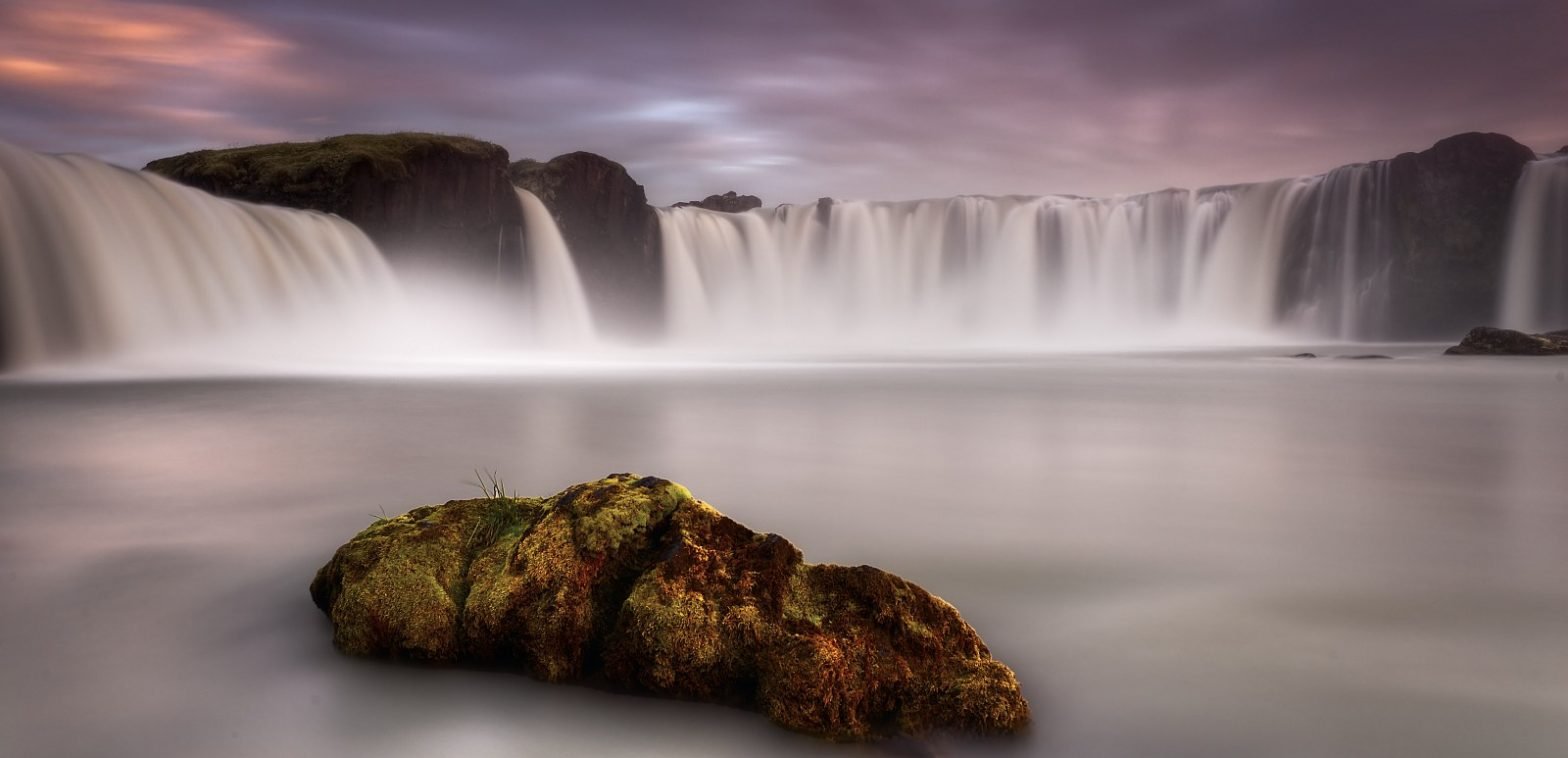
		<description><![CDATA[<p>We have all seen the photographs of waterfalls or beaches where the water has turned to milk. You either love it or your hate it, but regardless of that, it is a good way to come to understand shutter speed. this article looks at ways to give water that milky effect. First you need a camera and a source of flowing water. Not all of us are lucky enough to be living in Iceland. Next it is best to have a tripod or another way of keeping the camera perfectly still.</p>]]></description>
		<wfw:commentRss>http://icelandaurora.com/blog/2009/08/22/photography-techniques-playing-with-water/feed/</wfw:commentRss>
		<slash:comments>1</slash:comments>
		</item>
		<item>
		<title>Photoshop Basics &#8211; noise reduction</title>
		<link>http://icelandaurora.com/blog/2009/08/21/photoshop-basics-noise-reduction/#utm_source=feed&#038;utm_medium=feed&#038;utm_campaign=feed</link>
		<comments>http://icelandaurora.com/blog/2009/08/21/photoshop-basics-noise-reduction/#comments</comments>
		<pubDate>Fri, 21 Aug 2009 22:41:09 +0000</pubDate>
		<dc:creator>Tony</dc:creator>
				<category><![CDATA[Photoshop Techniques]]></category>
		<category><![CDATA[avoid noise]]></category>
		<category><![CDATA[coloured dots]]></category>
		<category><![CDATA[digital noise]]></category>
		<category><![CDATA[DSLR]]></category>
		<category><![CDATA[electrical interference]]></category>
		<category><![CDATA[electrical noise]]></category>
		<category><![CDATA[full frame]]></category>
		<category><![CDATA[High iso]]></category>
		<category><![CDATA[image]]></category>
		<category><![CDATA[ISO]]></category>
		<category><![CDATA[light]]></category>
		<category><![CDATA[light source.]]></category>
		<category><![CDATA[Long exposures]]></category>
		<category><![CDATA[low-light]]></category>
		<category><![CDATA[night photography]]></category>
		<category><![CDATA[noise]]></category>
		<category><![CDATA[photo]]></category>
		<category><![CDATA[photography]]></category>
		<category><![CDATA[photoshop]]></category>
		<category><![CDATA[picture]]></category>
		<category><![CDATA[sensor]]></category>
		<category><![CDATA[tutorial]]></category>
		<category><![CDATA[unacceptable noise]]></category>
		<category><![CDATA[workshop]]></category>

		<guid isPermaLink="false">http://icelandaurora.com/blog/?p=284</guid>
		<description><![CDATA[<p>No camera is perfect. If we push it to the limits of iso and low-light scenes, we are going to experience the number one weakness of a digital camera &#8211; NOISE.</p>]]></description>
		<wfw:commentRss>http://icelandaurora.com/blog/2009/08/21/photoshop-basics-noise-reduction/feed/</wfw:commentRss>
		<slash:comments>0</slash:comments>
		</item>
		<item>
		<title>Composition &#8211; following and breaking the rules</title>
		<link>http://icelandaurora.com/blog/2009/08/19/composition-following-and-breaking-the-rules/#utm_source=feed&#038;utm_medium=feed&#038;utm_campaign=feed</link>
		<comments>http://icelandaurora.com/blog/2009/08/19/composition-following-and-breaking-the-rules/#comments</comments>
		<pubDate>Wed, 19 Aug 2009 10:05:07 +0000</pubDate>
		<dc:creator>Tony</dc:creator>
				<category><![CDATA[Photography Techniques]]></category>
		<category><![CDATA[bokeh]]></category>
		<category><![CDATA[break the rules]]></category>
		<category><![CDATA[composition]]></category>
		<category><![CDATA[depth of field]]></category>
		<category><![CDATA[DOF]]></category>
		<category><![CDATA[frame]]></category>
		<category><![CDATA[Golden mean]]></category>
		<category><![CDATA[golden ratio]]></category>
		<category><![CDATA[intersections]]></category>
		<category><![CDATA[leading the eye]]></category>
		<category><![CDATA[lines]]></category>
		<category><![CDATA[rule of symmetry]]></category>
		<category><![CDATA[rule of thirds]]></category>
		<category><![CDATA[rules]]></category>
		<category><![CDATA[simplicity]]></category>
		<category><![CDATA[workshop]]></category>

		<guid isPermaLink="false">http://icelandaurora.com/blog/?p=304</guid>
		<description><![CDATA[<p>The rules of composition are guidelines for producing a well designed image. &#8216;Guidelines&#8217; are probably a better description than &#8216;rules&#8217; as they just help us as a kind of starting point. Do not break the rules until you are an expert at following them. You need to understand how they work and how they help you create great compositions. Learn the rules and then break them only if it will create a better image than if you followed them.</p>]]></description>
		<wfw:commentRss>http://icelandaurora.com/blog/2009/08/19/composition-following-and-breaking-the-rules/feed/</wfw:commentRss>
		<slash:comments>0</slash:comments>
		</item>
		<item>
		<title>Photoshop Basics &#8211; cropping techniques1 &#8211; cropping for composition.</title>
		<link>http://icelandaurora.com/blog/2009/08/18/photoshop-basics-cropping-techniques/#utm_source=feed&#038;utm_medium=feed&#038;utm_campaign=feed</link>
		<comments>http://icelandaurora.com/blog/2009/08/18/photoshop-basics-cropping-techniques/#comments</comments>
		<pubDate>Tue, 18 Aug 2009 15:33:37 +0000</pubDate>
		<dc:creator>Tony</dc:creator>
				<category><![CDATA[Photoshop Techniques]]></category>
		<category><![CDATA[composition]]></category>
		<category><![CDATA[Golden mean]]></category>
		<category><![CDATA[grids]]></category>
		<category><![CDATA[preferences]]></category>
		<category><![CDATA[rule of thirds]]></category>
		<category><![CDATA[workshop]]></category>

		<guid isPermaLink="false">http://icelandaurora.com/blog/?p=292</guid>
		<description><![CDATA[<p>There are many reasons why you might want to crop an image. You might want to make a smaller file size, you might have straightened an image and you need to correct it,or maybe you want to improve the composition.</p>]]></description>
		<wfw:commentRss>http://icelandaurora.com/blog/2009/08/18/photoshop-basics-cropping-techniques/feed/</wfw:commentRss>
		<slash:comments>1</slash:comments>
		</item>
		<item>
		<title>Photography Basics &#8211; photography as communication</title>
		<link>http://icelandaurora.com/blog/2009/08/18/photography-basics-photography-as-communication/#utm_source=feed&#038;utm_medium=feed&#038;utm_campaign=feed</link>
		<comments>http://icelandaurora.com/blog/2009/08/18/photography-basics-photography-as-communication/#comments</comments>
		<pubDate>Tue, 18 Aug 2009 11:35:42 +0000</pubDate>
		<dc:creator>Tony</dc:creator>
				<category><![CDATA[Photography Techniques]]></category>
		<category><![CDATA[composition]]></category>
		<category><![CDATA[focus]]></category>
		<category><![CDATA[isolation]]></category>
		<category><![CDATA[leading]]></category>
		<category><![CDATA[object]]></category>
		<category><![CDATA[photography]]></category>
		<category><![CDATA[stepping stones]]></category>
		<category><![CDATA[subject]]></category>
		<category><![CDATA[workshop]]></category>

		<guid isPermaLink="false">http://icelandaurora.com/blog/?p=286</guid>
		<description><![CDATA[<p>Photography is all about communication. Communicating a scene or an object is similar to communicating in writing. It makes more sense if there is an order. Sentence take if we a&#8230;  Sorry, if we take a sentence and jumble the words up, it has the same contents, but the meaning is lost.  At the other extreme a poet can arrange the words to provoke feelings and thoughts outside of the sentence. In a visual way a photographer has to arrange the subjects/ objects in a scene so that they make sense, and artists will arrange object/ subjects in a scene to provoke emotions.</p>]]></description>
		<wfw:commentRss>http://icelandaurora.com/blog/2009/08/18/photography-basics-photography-as-communication/feed/</wfw:commentRss>
		<slash:comments>1</slash:comments>
		</item>
	</channel>
</rss>