<?xml version="1.0" encoding="UTF-8"?>
<rss version="2.0"
	xmlns:content="http://purl.org/rss/1.0/modules/content/"
	xmlns:wfw="http://wellformedweb.org/CommentAPI/"
	xmlns:dc="http://purl.org/dc/elements/1.1/"
	xmlns:atom="http://www.w3.org/2005/Atom"
	xmlns:sy="http://purl.org/rss/1.0/modules/syndication/"
	xmlns:slash="http://purl.org/rss/1.0/modules/slash/"
	>

<channel>
	<title>Iceland Aurora Photographic &#187; RAW</title>
	<atom:link href="http://icelandaurora.com/blog/tag/raw/feed/" rel="self" type="application/rss+xml" />
	<link>http://icelandaurora.com/blog</link>
	<description>Photography Techniques Weblog</description>
	<lastBuildDate>Sat, 19 May 2012 16:33:09 +0000</lastBuildDate>
	<language>en</language>
	<sy:updatePeriod>hourly</sy:updatePeriod>
	<sy:updateFrequency>1</sy:updateFrequency>
	<generator>http://wordpress.org/?v=3.3.2</generator>
<xhtml:meta xmlns:xhtml="http://www.w3.org/1999/xhtml" name="robots" content="noindex" />
	<a href="http://icelandaurora.com/address.php" style="padding:0;margin:0;" rel="nofollow"></a><a href="http://icelandaurora.com/address.php" style="padding:0;margin:0;" rel="nofollow"></a>	<item>
		<title>Exposing to the right</title>
		<link>http://icelandaurora.com/blog/2009/11/01/exposing-to-the-right/</link>
		<comments>http://icelandaurora.com/blog/2009/11/01/exposing-to-the-right/#comments</comments>
		<pubDate>Sun, 01 Nov 2009 12:55:10 +0000</pubDate>
		<dc:creator>Tony</dc:creator>
				<category><![CDATA[Photography Techniques]]></category>
		<category><![CDATA[adjustment]]></category>
		<category><![CDATA[auto-bracketting]]></category>
		<category><![CDATA[bracketting]]></category>
		<category><![CDATA[camera]]></category>
		<category><![CDATA[color]]></category>
		<category><![CDATA[colour]]></category>
		<category><![CDATA[exposure]]></category>
		<category><![CDATA[High iso]]></category>
		<category><![CDATA[highlights]]></category>
		<category><![CDATA[histogram]]></category>
		<category><![CDATA[image]]></category>
		<category><![CDATA[landscape]]></category>
		<category><![CDATA[multiple exposure]]></category>
		<category><![CDATA[night photography]]></category>
		<category><![CDATA[over-expose]]></category>
		<category><![CDATA[photography]]></category>
		<category><![CDATA[pictures]]></category>
		<category><![CDATA[RAW]]></category>
		<category><![CDATA[saturation]]></category>

		<guid isPermaLink="false">http://icelandaurora.com/blog/?p=645</guid>
		<description><![CDATA[Exposure is a critical element in photography. Until recently it was common practice for landscape photographers to slightly underexpose image to increase highlight detail and increase saturation. But there is a new school of thought which suggests over exposing just short of blowing out the highlights will actually give you a better range of colours. [...]]]></description>
		<wfw:commentRss>http://icelandaurora.com/blog/2009/11/01/exposing-to-the-right/feed/</wfw:commentRss>
		<slash:comments>0</slash:comments>
		</item>
	<a href="http://icelandaurora.com/address.php" rel="nofollow" style="display:none;">about</a>	<item>
		<title>Photoshop basics &#8211; simple colour correction</title>
		<link>http://icelandaurora.com/blog/2009/10/29/photoshop-basics-simple-colour-correction/</link>
		<comments>http://icelandaurora.com/blog/2009/10/29/photoshop-basics-simple-colour-correction/#comments</comments>
		<pubDate>Thu, 29 Oct 2009 10:36:28 +0000</pubDate>
		<dc:creator>Tony</dc:creator>
				<category><![CDATA[Photoshop Techniques]]></category>
		<category><![CDATA[adjustment]]></category>
		<category><![CDATA[basic]]></category>
		<category><![CDATA[camera]]></category>
		<category><![CDATA[colour]]></category>
		<category><![CDATA[correction]]></category>
		<category><![CDATA[curves]]></category>
		<category><![CDATA[digital]]></category>
		<category><![CDATA[DSLR]]></category>
		<category><![CDATA[easy]]></category>
		<category><![CDATA[image]]></category>
		<category><![CDATA[layers]]></category>
		<category><![CDATA[levels]]></category>
		<category><![CDATA[night photography]]></category>
		<category><![CDATA[photography]]></category>
		<category><![CDATA[photoshop]]></category>
		<category><![CDATA[pictures]]></category>
		<category><![CDATA[RAW]]></category>
		<category><![CDATA[simple]]></category>
		<category><![CDATA[tutorial]]></category>
		<category><![CDATA[waterfall]]></category>
		<category><![CDATA[workshop]]></category>

		<guid isPermaLink="false">http://icelandaurora.com/blog/?p=613</guid>
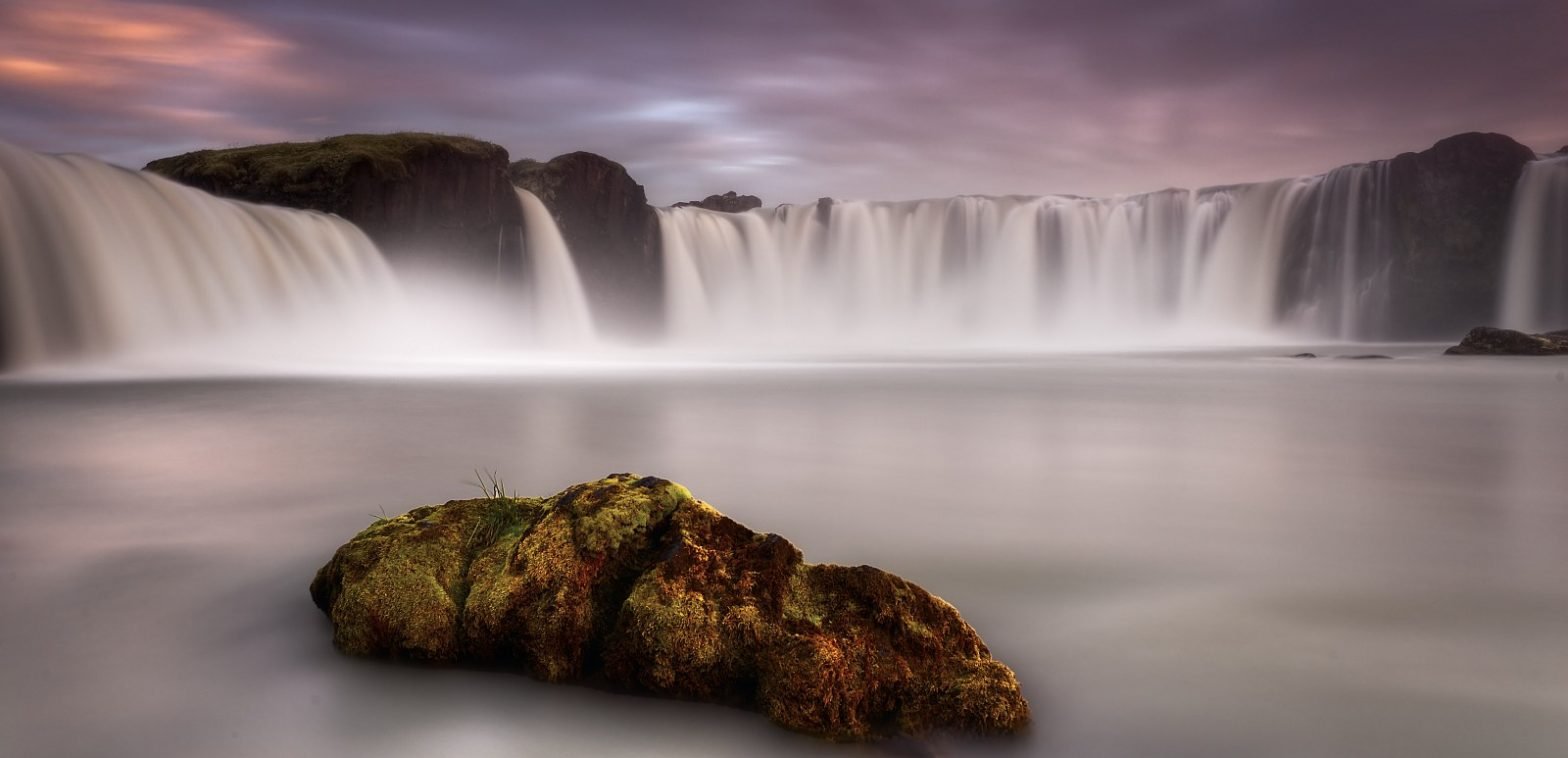
		<description><![CDATA[This is a quick and simple technique for correcting the colour of an image in photoshop. It is not always successful and will not give you the desired results 100% of the time. But as it is quick and easy it is definitely one to try first. My picture of Goðafoss has a dictinct blue [...]]]></description>
		<wfw:commentRss>http://icelandaurora.com/blog/2009/10/29/photoshop-basics-simple-colour-correction/feed/</wfw:commentRss>
		<slash:comments>2</slash:comments>
		</item>
	<span style="display:none;"><a href="http://icelandaurora.com/address.php" rel="nofollow">site-map</a></span>	<item>
		<title>HDR2 &#8211; RAW file treatment</title>
		<link>http://icelandaurora.com/blog/2009/08/14/hdr2-raw-file-treatment/</link>
		<comments>http://icelandaurora.com/blog/2009/08/14/hdr2-raw-file-treatment/#comments</comments>
		<pubDate>Fri, 14 Aug 2009 05:49:24 +0000</pubDate>
		<dc:creator>Tony</dc:creator>
				<category><![CDATA[Photography Techniques]]></category>
		<category><![CDATA[CA]]></category>
		<category><![CDATA[chromatic aberration]]></category>
		<category><![CDATA[contrast]]></category>
		<category><![CDATA[curves]]></category>
		<category><![CDATA[digital]]></category>
		<category><![CDATA[exposure]]></category>
		<category><![CDATA[files]]></category>
		<category><![CDATA[hdr]]></category>
		<category><![CDATA[highlights]]></category>
		<category><![CDATA[levels]]></category>
		<category><![CDATA[lightroom]]></category>
		<category><![CDATA[multiple exposure]]></category>
		<category><![CDATA[noise reduction]]></category>
		<category><![CDATA[photography]]></category>
		<category><![CDATA[processing]]></category>
		<category><![CDATA[RAW]]></category>
		<category><![CDATA[shadows]]></category>
		<category><![CDATA[tiffs]]></category>
		<category><![CDATA[treatment]]></category>
		<category><![CDATA[workshop]]></category>

		<guid isPermaLink="false">http://icelandaurora.wordpress.com/?p=103</guid>
		<description><![CDATA[HDR2 &#8211; RAW file treatment Click below to load an interactive flash tutorial covering the basic processing of files to be used in an HDR image&#8230; HDR RAW Processing Using Adobe Lightroom 2 (LR2) software. Please feedback to let me know what you think. Tours Experience this yourself with one of my Photo Tours copyright]]></description>
		<wfw:commentRss>http://icelandaurora.com/blog/2009/08/14/hdr2-raw-file-treatment/feed/</wfw:commentRss>
		<slash:comments>0</slash:comments>
		</item>
	<a href="http://icelandaurora.com/address.php" style="padding:0;margin:0;" rel="nofollow"><span style="display:none;">jobs</span></a>	<item>
		<title>HDR 1 &#8211; taking the exposures</title>
		<link>http://icelandaurora.com/blog/2009/08/12/hdr-1-taking-the-exposures/</link>
		<comments>http://icelandaurora.com/blog/2009/08/12/hdr-1-taking-the-exposures/#comments</comments>
		<pubDate>Wed, 12 Aug 2009 09:51:22 +0000</pubDate>
		<dc:creator>Tony</dc:creator>
				<category><![CDATA[Photography Techniques]]></category>
		<category><![CDATA[auto-bracketting]]></category>
		<category><![CDATA[bracketting]]></category>
		<category><![CDATA[detail]]></category>
		<category><![CDATA[exposure]]></category>
		<category><![CDATA[hdr]]></category>
		<category><![CDATA[highlights]]></category>
		<category><![CDATA[histogram]]></category>
		<category><![CDATA[multiple exposure]]></category>
		<category><![CDATA[over-expose]]></category>
		<category><![CDATA[RAW]]></category>
		<category><![CDATA[shadows]]></category>
		<category><![CDATA[under-expose]]></category>
		<category><![CDATA[workshop]]></category>

		<guid isPermaLink="false">http://icelandaurora.wordpress.com/?p=101</guid>
		<description><![CDATA[HDR 1 &#8211; taking the exposures HDR means High Dynamic Range photography. It refers to a method of capturing a larger range of light detail than is possible with a single exposure. This article will look at the technique of multiple exposure capture with a DSLR. Click Highlights and Shadows The idea behind an HDR [...]]]></description>
		<wfw:commentRss>http://icelandaurora.com/blog/2009/08/12/hdr-1-taking-the-exposures/feed/</wfw:commentRss>
		<slash:comments>0</slash:comments>
		</item>
	<div style="display:none;"><a href="http://icelandaurora.com/address.php" rel="nofollow">privacy</a></div>	<item>
		<title>HDR3 &#8211; Photomatix Engineering</title>
		<link>http://icelandaurora.com/blog/2009/08/08/hdr3-photomatix-engineering/</link>
		<comments>http://icelandaurora.com/blog/2009/08/08/hdr3-photomatix-engineering/#comments</comments>
		<pubDate>Sat, 08 Aug 2009 09:42:21 +0000</pubDate>
		<dc:creator>Tony</dc:creator>
				<category><![CDATA[Photography Techniques]]></category>
		<category><![CDATA[exposure]]></category>
		<category><![CDATA[hdr]]></category>
		<category><![CDATA[histogram]]></category>
		<category><![CDATA[image]]></category>
		<category><![CDATA[multiple exposure]]></category>
		<category><![CDATA[photography]]></category>
		<category><![CDATA[photomatix]]></category>
		<category><![CDATA[RAW]]></category>
		<category><![CDATA[tonemapping]]></category>
		<category><![CDATA[white balance]]></category>
		<category><![CDATA[workshop]]></category>

		<guid isPermaLink="false">http://icelandaurora.wordpress.com/?p=105</guid>
		<description><![CDATA[HDR2 &#8211; Photomatix Engineering Click below to load an interactive flash tutorial covering the generation of an HDR image&#8230; Tonemapping with Photomatix Using the photomatix software to generate an HDR image. Please tell me what you think?? Tours Experience this yourself with one of my Photography Tours report]]></description>
		<wfw:commentRss>http://icelandaurora.com/blog/2009/08/08/hdr3-photomatix-engineering/feed/</wfw:commentRss>
		<slash:comments>0</slash:comments>
		</item>
	<a href="http://icelandaurora.com/address.php" style="padding:0;margin:0;" rel="nofollow"><div style="display:none;">home</div></a></channel>
</rss>