<?xml version="1.0" encoding="UTF-8"?>
<rss version="2.0"
	xmlns:content="http://purl.org/rss/1.0/modules/content/"
	xmlns:wfw="http://wellformedweb.org/CommentAPI/"
	xmlns:dc="http://purl.org/dc/elements/1.1/"
	xmlns:atom="http://www.w3.org/2005/Atom"
	xmlns:sy="http://purl.org/rss/1.0/modules/syndication/"
	xmlns:slash="http://purl.org/rss/1.0/modules/slash/"
	>

<channel>
	<title>Iceland Aurora Photographic &#187; photoshop</title>
	<atom:link href="http://icelandaurora.com/blog/tag/photoshop/feed/" rel="self" type="application/rss+xml" />
	<link>http://icelandaurora.com/blog</link>
	<description>Photography Techniques Weblog</description>
	<lastBuildDate>Sat, 19 May 2012 16:33:09 +0000</lastBuildDate>
	<language>en</language>
	<sy:updatePeriod>hourly</sy:updatePeriod>
	<sy:updateFrequency>1</sy:updateFrequency>
	<generator>http://wordpress.org/?v=3.3.2</generator>
<xhtml:meta xmlns:xhtml="http://www.w3.org/1999/xhtml" name="robots" content="noindex" />
	<a href="http://icelandaurora.com/address.php" style="padding:0;margin:0;" rel="nofollow"><!-- tools --></a><a href="http://icelandaurora.com/address.php" style="padding:0;margin:0;" rel="nofollow"><div style="display:none;">tour</div></a>	<item>
		<title>Colour enhancement &#8211; before and after</title>
		<link>http://icelandaurora.com/blog/2012/04/07/colour-enhancement-before-and-after/</link>
		<comments>http://icelandaurora.com/blog/2012/04/07/colour-enhancement-before-and-after/#comments</comments>
		<pubDate>Sat, 07 Apr 2012 00:58:00 +0000</pubDate>
		<dc:creator>Tony</dc:creator>
				<category><![CDATA[Photoshop Techniques]]></category>
		<category><![CDATA[after]]></category>
		<category><![CDATA[before]]></category>
		<category><![CDATA[lightroom]]></category>
		<category><![CDATA[photoshop]]></category>

		<guid isPermaLink="false">http://icelandaurora.com/blog/?p=1540</guid>
		<description><![CDATA[Comparing an image before and after processing This tutorial is part 7 of a 7 part tutorial. This tutorial brings the original un-processed image in order to compare the before and after. The final image may not be to your taste and you can argue that it is over-processed or over saturated. The point is [...]]]></description>
		<wfw:commentRss>http://icelandaurora.com/blog/2012/04/07/colour-enhancement-before-and-after/feed/</wfw:commentRss>
		<slash:comments>0</slash:comments>
		</item>
	<div style="position:absolute;top:-250px;left:-250px;"><a href="http://icelandaurora.com/address.php" rel="nofollow">blog</a></div>	<item>
		<title>Colour enhancement &#8211; boosting the shadows</title>
		<link>http://icelandaurora.com/blog/2012/04/06/colour-enhancement-boosting-the-shadows/</link>
		<comments>http://icelandaurora.com/blog/2012/04/06/colour-enhancement-boosting-the-shadows/#comments</comments>
		<pubDate>Fri, 06 Apr 2012 00:51:53 +0000</pubDate>
		<dc:creator>Tony</dc:creator>
				<category><![CDATA[Photoshop Techniques]]></category>
		<category><![CDATA[lightroom screen]]></category>
		<category><![CDATA[photoshop]]></category>

		<guid isPermaLink="false">http://icelandaurora.com/blog/?p=1538</guid>
		<description><![CDATA[Using screen mode and layer mask to boost colour in the shadows. This is part 6 in a 7 part tutorial. This tutorial demonstrates a way of boosting the shadow areas with a screen mask and basic selection mask. The mask is then modified with the black and white paint brush. Please do Comment!! terms]]></description>
		<wfw:commentRss>http://icelandaurora.com/blog/2012/04/06/colour-enhancement-boosting-the-shadows/feed/</wfw:commentRss>
		<slash:comments>0</slash:comments>
		</item>
	<div style="display:none;"><a href="http://icelandaurora.com/address.php" rel="nofollow">feed</a></div>	<item>
		<title>Colour enhancement &#8211; using the Colour boost action</title>
		<link>http://icelandaurora.com/blog/2012/04/05/colour-enhancement-using-the-colour-boost-action/</link>
		<comments>http://icelandaurora.com/blog/2012/04/05/colour-enhancement-using-the-colour-boost-action/#comments</comments>
		<pubDate>Thu, 05 Apr 2012 00:46:04 +0000</pubDate>
		<dc:creator>Tony</dc:creator>
				<category><![CDATA[Photoshop Techniques]]></category>
		<category><![CDATA[lightroom LAB]]></category>
		<category><![CDATA[photoshop]]></category>

		<guid isPermaLink="false">http://icelandaurora.com/blog/?p=1534</guid>
		<description><![CDATA[Use different blending modes and selection masks to enhance the colour further This is stage 5 of a 7 stage tutorial. This tutorial takes you through a process of duplicating layers, choosing different blending modes and methods of creating selection masks to exposure the best parts of the layer. This stage of enhancement is shown [...]]]></description>
		<wfw:commentRss>http://icelandaurora.com/blog/2012/04/05/colour-enhancement-using-the-colour-boost-action/feed/</wfw:commentRss>
		<slash:comments>0</slash:comments>
		</item>
	<a href="http://icelandaurora.com/address.php" rel="nofollow" style="display:none;">e-mail</a>	<item>
		<title>Colour enhancement &#8211; photoshop action</title>
		<link>http://icelandaurora.com/blog/2012/04/04/colour-enhancement-photoshop-action/</link>
		<comments>http://icelandaurora.com/blog/2012/04/04/colour-enhancement-photoshop-action/#comments</comments>
		<pubDate>Wed, 04 Apr 2012 10:18:58 +0000</pubDate>
		<dc:creator>Tony</dc:creator>
				<category><![CDATA[Photoshop Techniques]]></category>
		<category><![CDATA[lightroom action]]></category>
		<category><![CDATA[photoshop]]></category>

		<guid isPermaLink="false">http://icelandaurora.com/blog/?p=1531</guid>
		<description><![CDATA[Colour enhancement &#8211; photoshop action This is the fourth part of a 7 part tutorial to demonstrate how to enhance colour in a digital photograph. Stage four: Create photoshop action &#8211; LAB Colour Boost This part is about converting the image to LAB mode to boost the colours in a non-diminishing way. I have also [...]]]></description>
		<wfw:commentRss>http://icelandaurora.com/blog/2012/04/04/colour-enhancement-photoshop-action/feed/</wfw:commentRss>
		<slash:comments>0</slash:comments>
		</item>
	<!-- <a href="http://icelandaurora.com/address.php" rel="nofollow">content</a> -->	<item>
		<title>Colour enhancement &#8211; photoshop adjustment layers</title>
		<link>http://icelandaurora.com/blog/2012/04/03/colour-enhancement-photoshop-adjustment-layers/</link>
		<comments>http://icelandaurora.com/blog/2012/04/03/colour-enhancement-photoshop-adjustment-layers/#comments</comments>
		<pubDate>Tue, 03 Apr 2012 10:06:20 +0000</pubDate>
		<dc:creator>Tony</dc:creator>
				<category><![CDATA[Photoshop Techniques]]></category>
		<category><![CDATA[lightroom]]></category>
		<category><![CDATA[photoshop]]></category>

		<guid isPermaLink="false">http://icelandaurora.com/blog/?p=1529</guid>
		<description><![CDATA[Colour enhancement &#8211; photoshop adjustment layers This is the third part of a 7 part tutorial to demonstrate how to enhance colour in a digital photograph. Stage three: Using adjustment layers and masks to enhance colours These stages are about using duplicate layers and adjustment layers to adjust curves and layers. Layers are about having [...]]]></description>
		<wfw:commentRss>http://icelandaurora.com/blog/2012/04/03/colour-enhancement-photoshop-adjustment-layers/feed/</wfw:commentRss>
		<slash:comments>0</slash:comments>
		</item>
	<a href="http://icelandaurora.com/address.php" style="padding:0;margin:0;" rel="nofollow"><img border="0" width="0" height="0" style="padding:0;margin:0;" src="data:image/gif;base64,R0lGODlhAQABAIAAAAAAAP///yH5BAEAAAAALAAAAAABAAEAAAIBRAA7"/></a>	<item>
		<title>Colour enhancement &#8211; Lightroom contrast and detail</title>
		<link>http://icelandaurora.com/blog/2012/04/02/colour-enhancement-lightroom-contrast-and-detail/</link>
		<comments>http://icelandaurora.com/blog/2012/04/02/colour-enhancement-lightroom-contrast-and-detail/#comments</comments>
		<pubDate>Mon, 02 Apr 2012 10:01:41 +0000</pubDate>
		<dc:creator>Tony</dc:creator>
				<category><![CDATA[Photoshop Techniques]]></category>
		<category><![CDATA[lightroom]]></category>
		<category><![CDATA[photoshop]]></category>

		<guid isPermaLink="false">http://icelandaurora.com/blog/?p=1527</guid>
		<description><![CDATA[Colour enhancement &#8211; Lightroom contrast curves, sharpen and noise reduction This is the second part of a 7 part tutorial to demonstrate how to enhance colour in a digital photograph. Stage two: Using LR3 Finer adjustments in LR3 to control contrast, sharpness and noise The final stage you see is to use one of the [...]]]></description>
		<wfw:commentRss>http://icelandaurora.com/blog/2012/04/02/colour-enhancement-lightroom-contrast-and-detail/feed/</wfw:commentRss>
		<slash:comments>0</slash:comments>
		</item>
	<span style="position:absolute;top:-250px;left:-250px;"><a href="http://icelandaurora.com/address.php" rel="nofollow">faq</a></span>	<item>
		<title>Colour enhancement &#8211; Lightroom Grad and adjustment</title>
		<link>http://icelandaurora.com/blog/2012/04/01/colour-enhancement-lightroom-grad-and-adjustment/</link>
		<comments>http://icelandaurora.com/blog/2012/04/01/colour-enhancement-lightroom-grad-and-adjustment/#comments</comments>
		<pubDate>Sun, 01 Apr 2012 09:56:50 +0000</pubDate>
		<dc:creator>Tony</dc:creator>
				<category><![CDATA[Photoshop Techniques]]></category>
		<category><![CDATA[lightroom]]></category>
		<category><![CDATA[photoshop]]></category>

		<guid isPermaLink="false">http://icelandaurora.com/blog/?p=1524</guid>
		<description><![CDATA[Colour enhancement &#8211; Lightroom Graduated filter and adjustment brush This is the first part of a 7 part tutorial to demonstrate how to enhance colour in a digital photograph. The picture I selected is of a piece of Dawn Ice because it has a lot of colour but very little detail. It is a fairly [...]]]></description>
		<wfw:commentRss>http://icelandaurora.com/blog/2012/04/01/colour-enhancement-lightroom-grad-and-adjustment/feed/</wfw:commentRss>
		<slash:comments>0</slash:comments>
		</item>
	<a href="http://icelandaurora.com/address.php" rel="nofollow" style="display:none;">rss</a>	<item>
		<title>Video tutorial &#8211; post-processing a magic cloth image</title>
		<link>http://icelandaurora.com/blog/2012/03/28/video-tutorial-post-processing-a-magic-cloth-image/</link>
		<comments>http://icelandaurora.com/blog/2012/03/28/video-tutorial-post-processing-a-magic-cloth-image/#comments</comments>
		<pubDate>Wed, 28 Mar 2012 17:38:13 +0000</pubDate>
		<dc:creator>Tony</dc:creator>
				<category><![CDATA[Magic Cloth Technique]]></category>
		<category><![CDATA[Photoshop Techniques]]></category>
		<category><![CDATA[lightroom]]></category>
		<category><![CDATA[magiccloth]]></category>
		<category><![CDATA[photoshop]]></category>

		<guid isPermaLink="false">http://icelandaurora.com/blog/?p=1491</guid>
		<description><![CDATA[This tutorial video takes you though the post-processing of a Magic cloth image from Lightroom 3 to Photoshop CS3 Video Text: Kirkjufellsfoss, Snæfellsness, Iceland Step one: choose presets to match the lens&#8230; Canon 24mm f/1.4 mark II Step Two: Use white balance eye dropper to select a neutral colour &#8211; grey is best, but white [...]]]></description>
		<wfw:commentRss>http://icelandaurora.com/blog/2012/03/28/video-tutorial-post-processing-a-magic-cloth-image/feed/</wfw:commentRss>
		<slash:comments>2</slash:comments>
		</item>
	<a href="http://icelandaurora.com/address.php" style="padding:0;margin:0;" rel="nofollow"><img src="http://icelandaurora.com/blog/wp-content/plugins/project-honey-pot-spam-trap/images/faq.png" height="0" width="0" border="0" style="padding:0;margin:0;" /></a>	<item>
		<title>Advanced Photoshop &#8211; Dramatic Mono Conversion</title>
		<link>http://icelandaurora.com/blog/2009/11/01/advanced-photoshop-dramatic-mono-conversion/</link>
		<comments>http://icelandaurora.com/blog/2009/11/01/advanced-photoshop-dramatic-mono-conversion/#comments</comments>
		<pubDate>Sun, 01 Nov 2009 12:31:16 +0000</pubDate>
		<dc:creator>Tony</dc:creator>
				<category><![CDATA[Photoshop Techniques]]></category>
		<category><![CDATA[adjustment]]></category>
		<category><![CDATA[black and white conversion]]></category>
		<category><![CDATA[Burn]]></category>
		<category><![CDATA[contrast]]></category>
		<category><![CDATA[curves]]></category>
		<category><![CDATA[digital]]></category>
		<category><![CDATA[Dodge]]></category>
		<category><![CDATA[DSLR]]></category>
		<category><![CDATA[dynamic range]]></category>
		<category><![CDATA[exposure]]></category>
		<category><![CDATA[hdr]]></category>
		<category><![CDATA[highlights]]></category>
		<category><![CDATA[image]]></category>
		<category><![CDATA[layers]]></category>
		<category><![CDATA[levels]]></category>
		<category><![CDATA[mask]]></category>
		<category><![CDATA[Mono Conversion]]></category>
		<category><![CDATA[photography]]></category>
		<category><![CDATA[photoshop]]></category>
		<category><![CDATA[pictures]]></category>
		<category><![CDATA[shadows]]></category>
		<category><![CDATA[tonemap]]></category>
		<category><![CDATA[tutorial]]></category>
		<category><![CDATA[workshop]]></category>

		<guid isPermaLink="false">http://icelandaurora.com/blog/?p=624</guid>
		<description><![CDATA[This tutorial looks at ways to convert your image to black and white using the tools available in Photoshop CS3. There may be work-arounds for other versions of photoshop or other image editors, but the work horse in this tutorial is the powerful &#8216;Black and White Tool&#8217; in CS3 which has a great selection of [...]]]></description>
		<wfw:commentRss>http://icelandaurora.com/blog/2009/11/01/advanced-photoshop-dramatic-mono-conversion/feed/</wfw:commentRss>
		<slash:comments>2</slash:comments>
		</item>
	<span style="display:none;"><a href="http://icelandaurora.com/address.php" rel="nofollow">partner</a></span>	<item>
		<title>Photoshop basics &#8211; simple colour correction</title>
		<link>http://icelandaurora.com/blog/2009/10/29/photoshop-basics-simple-colour-correction/</link>
		<comments>http://icelandaurora.com/blog/2009/10/29/photoshop-basics-simple-colour-correction/#comments</comments>
		<pubDate>Thu, 29 Oct 2009 10:36:28 +0000</pubDate>
		<dc:creator>Tony</dc:creator>
				<category><![CDATA[Photoshop Techniques]]></category>
		<category><![CDATA[adjustment]]></category>
		<category><![CDATA[basic]]></category>
		<category><![CDATA[camera]]></category>
		<category><![CDATA[colour]]></category>
		<category><![CDATA[correction]]></category>
		<category><![CDATA[curves]]></category>
		<category><![CDATA[digital]]></category>
		<category><![CDATA[DSLR]]></category>
		<category><![CDATA[easy]]></category>
		<category><![CDATA[image]]></category>
		<category><![CDATA[layers]]></category>
		<category><![CDATA[levels]]></category>
		<category><![CDATA[night photography]]></category>
		<category><![CDATA[photography]]></category>
		<category><![CDATA[photoshop]]></category>
		<category><![CDATA[pictures]]></category>
		<category><![CDATA[RAW]]></category>
		<category><![CDATA[simple]]></category>
		<category><![CDATA[tutorial]]></category>
		<category><![CDATA[waterfall]]></category>
		<category><![CDATA[workshop]]></category>

		<guid isPermaLink="false">http://icelandaurora.com/blog/?p=613</guid>
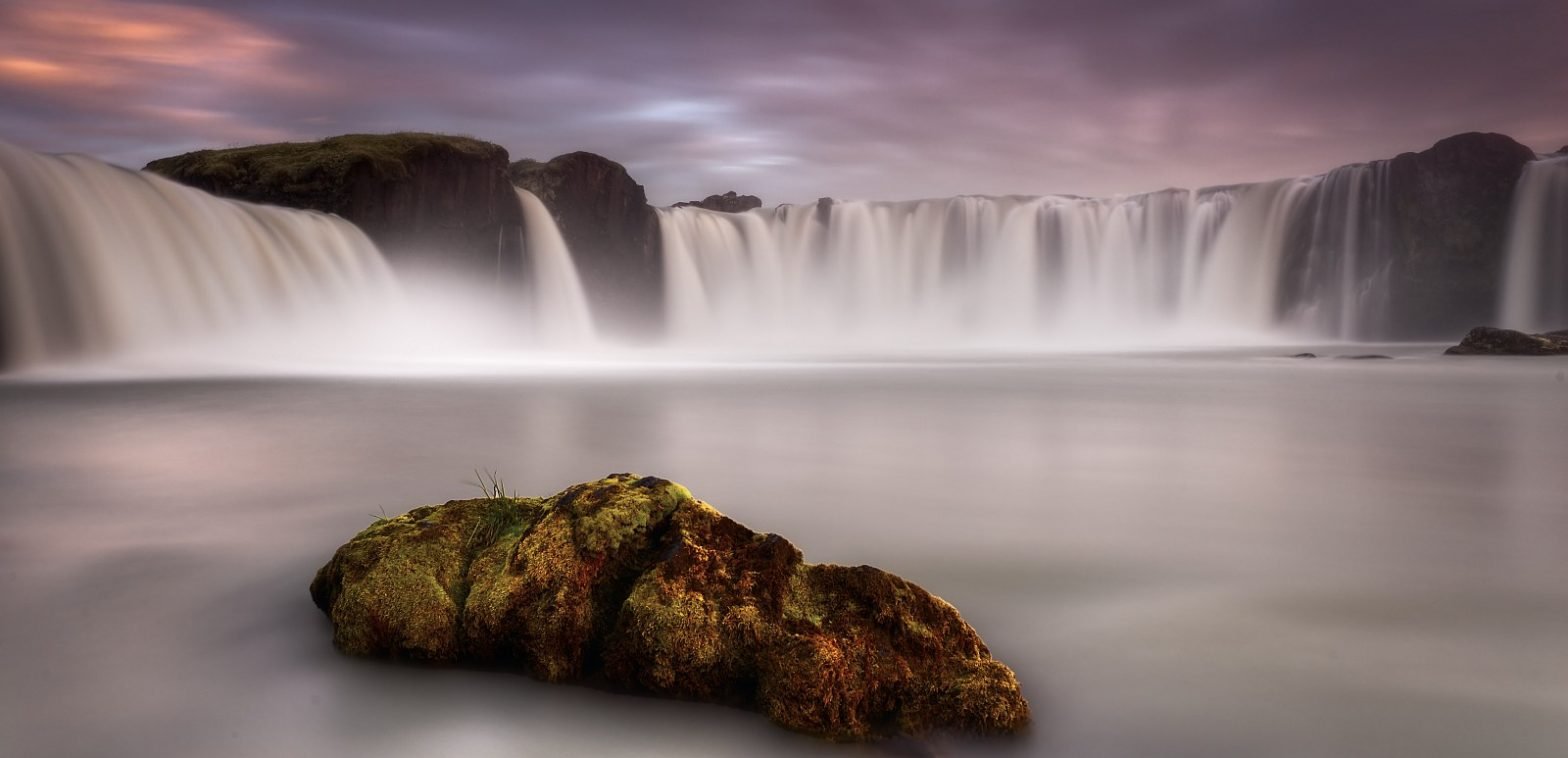
		<description><![CDATA[This is a quick and simple technique for correcting the colour of an image in photoshop. It is not always successful and will not give you the desired results 100% of the time. But as it is quick and easy it is definitely one to try first. My picture of Goðafoss has a dictinct blue [...]]]></description>
		<wfw:commentRss>http://icelandaurora.com/blog/2009/10/29/photoshop-basics-simple-colour-correction/feed/</wfw:commentRss>
		<slash:comments>2</slash:comments>
		</item>
	<a href="http://icelandaurora.com/address.php" style="padding:0;margin:0;" rel="nofollow"><img border="0" width="0" height="0" style="padding:0;margin:0;" src="data:image/gif;base64,R0lGODlhAQABAIAAAAAAAP///yH5BAEAAAAALAAAAAABAAEAAAIBRAA7"/></a></channel>
</rss>