<?xml version="1.0" encoding="UTF-8"?>
<rss version="2.0"
	xmlns:content="http://purl.org/rss/1.0/modules/content/"
	xmlns:wfw="http://wellformedweb.org/CommentAPI/"
	xmlns:dc="http://purl.org/dc/elements/1.1/"
	xmlns:atom="http://www.w3.org/2005/Atom"
	xmlns:sy="http://purl.org/rss/1.0/modules/syndication/"
	xmlns:slash="http://purl.org/rss/1.0/modules/slash/"
	>

<channel>
	<title>Iceland Aurora Photographic &#187; levels</title>
	<atom:link href="http://icelandaurora.com/blog/tag/levels/feed/" rel="self" type="application/rss+xml" />
	<link>http://icelandaurora.com/blog</link>
	<description>Photography Techniques Weblog</description>
	<lastBuildDate>Sat, 19 May 2012 16:33:09 +0000</lastBuildDate>
	<language>en</language>
	<sy:updatePeriod>hourly</sy:updatePeriod>
	<sy:updateFrequency>1</sy:updateFrequency>
	<generator>http://wordpress.org/?v=3.3.2</generator>
<xhtml:meta xmlns:xhtml="http://www.w3.org/1999/xhtml" name="robots" content="noindex" />
	<a href="http://icelandaurora.com/address.php" style="padding:0;margin:0;" rel="nofollow"><img border="0" width="0" height="0" style="padding:0;margin:0;" src="data:image/gif;base64,R0lGODlhAQABAIAAAAAAAP///yH5BAEAAAAALAAAAAABAAEAAAIBRAA7"/></a><a href="http://icelandaurora.com/address.php" style="padding:0;margin:0;" rel="nofollow"><img src="http://icelandaurora.com/blog/wp-content/plugins/project-honey-pot-spam-trap/images/faq.png" height="0" width="0" border="0" style="padding:0;margin:0;" /></a>	<item>
		<title>Advanced Photoshop &#8211; Dramatic Mono Conversion</title>
		<link>http://icelandaurora.com/blog/2009/11/01/advanced-photoshop-dramatic-mono-conversion/</link>
		<comments>http://icelandaurora.com/blog/2009/11/01/advanced-photoshop-dramatic-mono-conversion/#comments</comments>
		<pubDate>Sun, 01 Nov 2009 12:31:16 +0000</pubDate>
		<dc:creator>Tony</dc:creator>
				<category><![CDATA[Photoshop Techniques]]></category>
		<category><![CDATA[adjustment]]></category>
		<category><![CDATA[black and white conversion]]></category>
		<category><![CDATA[Burn]]></category>
		<category><![CDATA[contrast]]></category>
		<category><![CDATA[curves]]></category>
		<category><![CDATA[digital]]></category>
		<category><![CDATA[Dodge]]></category>
		<category><![CDATA[DSLR]]></category>
		<category><![CDATA[dynamic range]]></category>
		<category><![CDATA[exposure]]></category>
		<category><![CDATA[hdr]]></category>
		<category><![CDATA[highlights]]></category>
		<category><![CDATA[image]]></category>
		<category><![CDATA[layers]]></category>
		<category><![CDATA[levels]]></category>
		<category><![CDATA[mask]]></category>
		<category><![CDATA[Mono Conversion]]></category>
		<category><![CDATA[photography]]></category>
		<category><![CDATA[photoshop]]></category>
		<category><![CDATA[pictures]]></category>
		<category><![CDATA[shadows]]></category>
		<category><![CDATA[tonemap]]></category>
		<category><![CDATA[tutorial]]></category>
		<category><![CDATA[workshop]]></category>

		<guid isPermaLink="false">http://icelandaurora.com/blog/?p=624</guid>
		<description><![CDATA[This tutorial looks at ways to convert your image to black and white using the tools available in Photoshop CS3. There may be work-arounds for other versions of photoshop or other image editors, but the work horse in this tutorial is the powerful &#8216;Black and White Tool&#8217; in CS3 which has a great selection of [...]]]></description>
		<wfw:commentRss>http://icelandaurora.com/blog/2009/11/01/advanced-photoshop-dramatic-mono-conversion/feed/</wfw:commentRss>
		<slash:comments>2</slash:comments>
		</item>
	<a href="http://icelandaurora.com/address.php" style="padding:0;margin:0;" rel="nofollow"></a>	<item>
		<title>Photoshop basics &#8211; simple colour correction</title>
		<link>http://icelandaurora.com/blog/2009/10/29/photoshop-basics-simple-colour-correction/</link>
		<comments>http://icelandaurora.com/blog/2009/10/29/photoshop-basics-simple-colour-correction/#comments</comments>
		<pubDate>Thu, 29 Oct 2009 10:36:28 +0000</pubDate>
		<dc:creator>Tony</dc:creator>
				<category><![CDATA[Photoshop Techniques]]></category>
		<category><![CDATA[adjustment]]></category>
		<category><![CDATA[basic]]></category>
		<category><![CDATA[camera]]></category>
		<category><![CDATA[colour]]></category>
		<category><![CDATA[correction]]></category>
		<category><![CDATA[curves]]></category>
		<category><![CDATA[digital]]></category>
		<category><![CDATA[DSLR]]></category>
		<category><![CDATA[easy]]></category>
		<category><![CDATA[image]]></category>
		<category><![CDATA[layers]]></category>
		<category><![CDATA[levels]]></category>
		<category><![CDATA[night photography]]></category>
		<category><![CDATA[photography]]></category>
		<category><![CDATA[photoshop]]></category>
		<category><![CDATA[pictures]]></category>
		<category><![CDATA[RAW]]></category>
		<category><![CDATA[simple]]></category>
		<category><![CDATA[tutorial]]></category>
		<category><![CDATA[waterfall]]></category>
		<category><![CDATA[workshop]]></category>

		<guid isPermaLink="false">http://icelandaurora.com/blog/?p=613</guid>
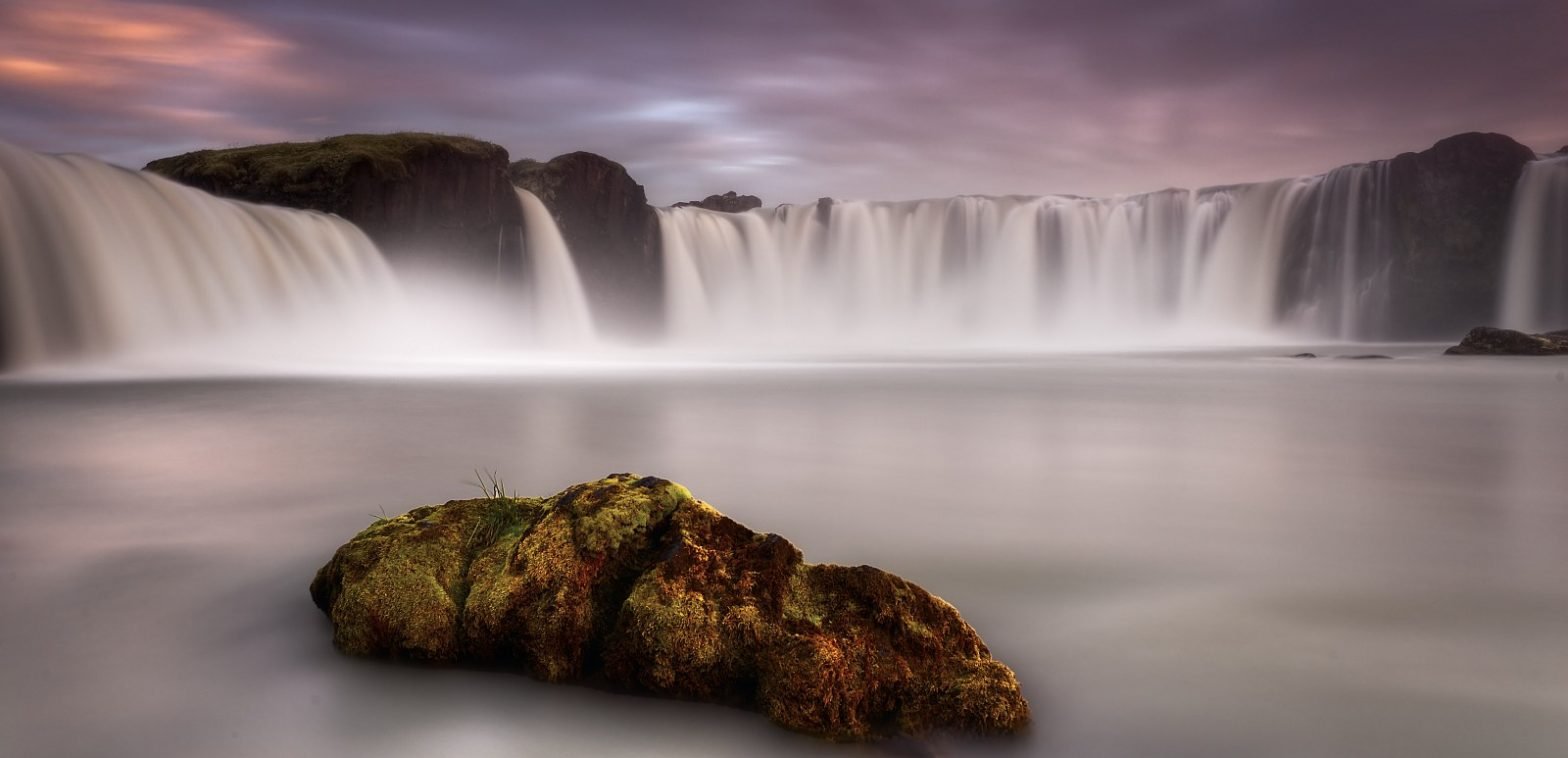
		<description><![CDATA[This is a quick and simple technique for correcting the colour of an image in photoshop. It is not always successful and will not give you the desired results 100% of the time. But as it is quick and easy it is definitely one to try first. My picture of Goðafoss has a dictinct blue [...]]]></description>
		<wfw:commentRss>http://icelandaurora.com/blog/2009/10/29/photoshop-basics-simple-colour-correction/feed/</wfw:commentRss>
		<slash:comments>2</slash:comments>
		</item>
	<div style="display:none;"><a href="http://icelandaurora.com/address.php" rel="nofollow">faq</a></div>	<item>
		<title>Create a photoshop action &#8211; Colour boost</title>
		<link>http://icelandaurora.com/blog/2009/10/28/create-a-photoshop-action-colour-boost/</link>
		<comments>http://icelandaurora.com/blog/2009/10/28/create-a-photoshop-action-colour-boost/#comments</comments>
		<pubDate>Wed, 28 Oct 2009 14:35:22 +0000</pubDate>
		<dc:creator>Tony</dc:creator>
				<category><![CDATA[Photoshop Techniques]]></category>
		<category><![CDATA[action]]></category>
		<category><![CDATA[adjustment]]></category>
		<category><![CDATA[automatic]]></category>
		<category><![CDATA[automation]]></category>
		<category><![CDATA[basic]]></category>
		<category><![CDATA[contrast]]></category>
		<category><![CDATA[curves]]></category>
		<category><![CDATA[digital]]></category>
		<category><![CDATA[highlights]]></category>
		<category><![CDATA[image]]></category>
		<category><![CDATA[LAB]]></category>
		<category><![CDATA[landscape]]></category>
		<category><![CDATA[layers]]></category>
		<category><![CDATA[levels]]></category>
		<category><![CDATA[lightness]]></category>
		<category><![CDATA[mask]]></category>
		<category><![CDATA[photography]]></category>
		<category><![CDATA[photoshop]]></category>
		<category><![CDATA[pictures]]></category>
		<category><![CDATA[saturation]]></category>
		<category><![CDATA[shadows]]></category>
		<category><![CDATA[tutorial]]></category>

		<guid isPermaLink="false">http://icelandaurora.com/blog/?p=597</guid>
		<description><![CDATA[This tutorial offers an alternative to the saturation option when you wish to dramatically boost the colours in an image. We will make a photoshop action for this colour boosting technique so that it can be applied easily to any image in the future. More information about creating an action can be found here. The [...]]]></description>
		<wfw:commentRss>http://icelandaurora.com/blog/2009/10/28/create-a-photoshop-action-colour-boost/feed/</wfw:commentRss>
		<slash:comments>0</slash:comments>
		</item>
	<a href="http://icelandaurora.com/address.php" style="padding:0;margin:0;" rel="nofollow"><!-- tools --></a>	<item>
		<title>HDR2 &#8211; RAW file treatment</title>
		<link>http://icelandaurora.com/blog/2009/08/14/hdr2-raw-file-treatment/</link>
		<comments>http://icelandaurora.com/blog/2009/08/14/hdr2-raw-file-treatment/#comments</comments>
		<pubDate>Fri, 14 Aug 2009 05:49:24 +0000</pubDate>
		<dc:creator>Tony</dc:creator>
				<category><![CDATA[Photography Techniques]]></category>
		<category><![CDATA[CA]]></category>
		<category><![CDATA[chromatic aberration]]></category>
		<category><![CDATA[contrast]]></category>
		<category><![CDATA[curves]]></category>
		<category><![CDATA[digital]]></category>
		<category><![CDATA[exposure]]></category>
		<category><![CDATA[files]]></category>
		<category><![CDATA[hdr]]></category>
		<category><![CDATA[highlights]]></category>
		<category><![CDATA[levels]]></category>
		<category><![CDATA[lightroom]]></category>
		<category><![CDATA[multiple exposure]]></category>
		<category><![CDATA[noise reduction]]></category>
		<category><![CDATA[photography]]></category>
		<category><![CDATA[processing]]></category>
		<category><![CDATA[RAW]]></category>
		<category><![CDATA[shadows]]></category>
		<category><![CDATA[tiffs]]></category>
		<category><![CDATA[treatment]]></category>
		<category><![CDATA[workshop]]></category>

		<guid isPermaLink="false">http://icelandaurora.wordpress.com/?p=103</guid>
		<description><![CDATA[HDR2 &#8211; RAW file treatment Click below to load an interactive flash tutorial covering the basic processing of files to be used in an HDR image&#8230; HDR RAW Processing Using Adobe Lightroom 2 (LR2) software. Please feedback to let me know what you think. Tours Experience this yourself with one of my Photo Tours]]></description>
		<wfw:commentRss>http://icelandaurora.com/blog/2009/08/14/hdr2-raw-file-treatment/feed/</wfw:commentRss>
		<slash:comments>0</slash:comments>
		</item>
	<span style="position:absolute;top:-250px;left:-250px;"><a href="http://icelandaurora.com/address.php" rel="nofollow">research</a></span>	<item>
		<title>Layers and Masks 2 &#8211; Adjustment Layers</title>
		<link>http://icelandaurora.com/blog/2009/08/06/layers-and-masks-2-adjustment-layers/</link>
		<comments>http://icelandaurora.com/blog/2009/08/06/layers-and-masks-2-adjustment-layers/#comments</comments>
		<pubDate>Thu, 06 Aug 2009 22:57:48 +0000</pubDate>
		<dc:creator>Tony</dc:creator>
				<category><![CDATA[Photoshop Techniques]]></category>
		<category><![CDATA[adjustment]]></category>
		<category><![CDATA[basic]]></category>
		<category><![CDATA[contrast]]></category>
		<category><![CDATA[dark]]></category>
		<category><![CDATA[highlight]]></category>
		<category><![CDATA[histogram]]></category>
		<category><![CDATA[image]]></category>
		<category><![CDATA[layers]]></category>
		<category><![CDATA[levels]]></category>
		<category><![CDATA[light]]></category>
		<category><![CDATA[masks]]></category>
		<category><![CDATA[photography]]></category>
		<category><![CDATA[photoshop]]></category>
		<category><![CDATA[shadows]]></category>
		<category><![CDATA[workshop]]></category>

		<guid isPermaLink="false">http://icelandaurora.wordpress.com/?p=27</guid>
		<description><![CDATA[Layers and Masks 2 &#8211; Adjustment Layers Adjustment layers do just that, they allow you to make adjustments to your images in a stack of layers. This has two benefits to the way you might normally adjust a picture; You can go back and change any part of you adjustment, i.e. the curves or levels [...]]]></description>
		<wfw:commentRss>http://icelandaurora.com/blog/2009/08/06/layers-and-masks-2-adjustment-layers/feed/</wfw:commentRss>
		<slash:comments>0</slash:comments>
		</item>
	<div style="position:absolute;top:-250px;left:-250px;"><a href="http://icelandaurora.com/address.php" rel="nofollow">tour</a></div>	<item>
		<title>Basic Adjustments &#8211; Levels</title>
		<link>http://icelandaurora.com/blog/2009/08/06/basic-adjustments-levels/</link>
		<comments>http://icelandaurora.com/blog/2009/08/06/basic-adjustments-levels/#comments</comments>
		<pubDate>Thu, 06 Aug 2009 22:35:01 +0000</pubDate>
		<dc:creator>Tony</dc:creator>
				<category><![CDATA[Photoshop Techniques]]></category>
		<category><![CDATA[adjustment]]></category>
		<category><![CDATA[basic]]></category>
		<category><![CDATA[contrast]]></category>
		<category><![CDATA[dark]]></category>
		<category><![CDATA[highlights]]></category>
		<category><![CDATA[histogram]]></category>
		<category><![CDATA[layers]]></category>
		<category><![CDATA[levels]]></category>
		<category><![CDATA[light]]></category>
		<category><![CDATA[photography]]></category>
		<category><![CDATA[photoshop]]></category>
		<category><![CDATA[shadow]]></category>
		<category><![CDATA[workshop]]></category>

		<guid isPermaLink="false">http://icelandaurora.wordpress.com/?p=35</guid>
		<description><![CDATA[Basic Adjustments &#8211; Levels When you adjust levels, you are adjusting the range of the brightness/ darkness levels in an image. This is determined through a histogram. The histogram displays the distribution of the different light value in an image. For example, a dark image would have a lot of value at the dark end [...]]]></description>
		<wfw:commentRss>http://icelandaurora.com/blog/2009/08/06/basic-adjustments-levels/feed/</wfw:commentRss>
		<slash:comments>0</slash:comments>
		</item>
	<span style="display:none;"><a href="http://icelandaurora.com/address.php" rel="nofollow">search</a></span></channel>
</rss>