<?xml version="1.0" encoding="UTF-8"?>
<rss version="2.0"
	xmlns:content="http://purl.org/rss/1.0/modules/content/"
	xmlns:wfw="http://wellformedweb.org/CommentAPI/"
	xmlns:dc="http://purl.org/dc/elements/1.1/"
	xmlns:atom="http://www.w3.org/2005/Atom"
	xmlns:sy="http://purl.org/rss/1.0/modules/syndication/"
	xmlns:slash="http://purl.org/rss/1.0/modules/slash/"
	>

<channel>
	<title>Iceland Aurora Photographic &#187; image</title>
	<atom:link href="http://icelandaurora.com/blog/tag/image/feed/" rel="self" type="application/rss+xml" />
	<link>http://icelandaurora.com/blog</link>
	<description>Photography Techniques Weblog</description>
	<lastBuildDate>Tue, 20 Jul 2010 14:45:42 +0000</lastBuildDate>
	<language>en</language>
	<sy:updatePeriod>hourly</sy:updatePeriod>
	<sy:updateFrequency>1</sy:updateFrequency>
	<generator>http://wordpress.org/?v=3.0.1</generator>
		<item>
		<title>Night Photography 2 &#8211; overcoming the darkness</title>
		<link>http://icelandaurora.com/blog/2009/11/27/night-photography-2-overcoming-the-darkness/#utm_source=feed&amp;utm_medium=feed&amp;utm_campaign=feed</link>
		<comments>http://icelandaurora.com/blog/2009/11/27/night-photography-2-overcoming-the-darkness/#comments</comments>
		<pubDate>Fri, 27 Nov 2009 05:20:30 +0000</pubDate>
		<dc:creator>Tony</dc:creator>
				<category><![CDATA[Photography Techniques]]></category>
		<category><![CDATA[aurora borealis]]></category>
		<category><![CDATA[bracketting]]></category>
		<category><![CDATA[camera]]></category>
		<category><![CDATA[composition]]></category>
		<category><![CDATA[dark]]></category>
		<category><![CDATA[depth of field]]></category>
		<category><![CDATA[digital]]></category>
		<category><![CDATA[DOF]]></category>
		<category><![CDATA[DSLR]]></category>
		<category><![CDATA[exposure]]></category>
		<category><![CDATA[focus]]></category>
		<category><![CDATA[hdr]]></category>
		<category><![CDATA[highlights]]></category>
		<category><![CDATA[hyperfocal distance]]></category>
		<category><![CDATA[iceland]]></category>
		<category><![CDATA[image]]></category>
		<category><![CDATA[landscape]]></category>
		<category><![CDATA[light]]></category>
		<category><![CDATA[long exposure]]></category>
		<category><![CDATA[multiple exposure]]></category>
		<category><![CDATA[night photography]]></category>
		<category><![CDATA[photography]]></category>
		<category><![CDATA[pictures]]></category>
		<category><![CDATA[spirit level]]></category>
		<category><![CDATA[white balance]]></category>
		<category><![CDATA[wonky horizons]]></category>
		<category><![CDATA[workshop]]></category>

		<guid isPermaLink="false">http://icelandaurora.com/blog/?p=796</guid>
		<description><![CDATA[<p>So you have the night photography bug. You sit twiddling your thumbs in the daylight hours waiting for the light to fade so that you can go out and leave your camera perfectly still with its  shutter open for many tens of minutes.  You are not alone!!</p>]]></description>
		<wfw:commentRss>http://icelandaurora.com/blog/2009/11/27/night-photography-2-overcoming-the-darkness/feed/</wfw:commentRss>
		<slash:comments>3</slash:comments>
		</item>
		<item>
		<title>Photography workshops in Reykjavik</title>
		<link>http://icelandaurora.com/blog/2009/11/04/photography-workshops-in-reykjavik/#utm_source=feed&amp;utm_medium=feed&amp;utm_campaign=feed</link>
		<comments>http://icelandaurora.com/blog/2009/11/04/photography-workshops-in-reykjavik/#comments</comments>
		<pubDate>Wed, 04 Nov 2009 17:09:05 +0000</pubDate>
		<dc:creator>Tony</dc:creator>
				<category><![CDATA[Services]]></category>
		<category><![CDATA[camera]]></category>
		<category><![CDATA[digital]]></category>
		<category><![CDATA[DSLR]]></category>
		<category><![CDATA[iceland]]></category>
		<category><![CDATA[image]]></category>
		<category><![CDATA[landscape]]></category>
		<category><![CDATA[photography]]></category>
		<category><![CDATA[photoshop]]></category>
		<category><![CDATA[pictures]]></category>
		<category><![CDATA[reykjavik]]></category>
		<category><![CDATA[tutorial]]></category>
		<category><![CDATA[workshop]]></category>

		<guid isPermaLink="false">http://icelandaurora.com/blog/?p=667</guid>
		<description><![CDATA[<p>These are similar to the tours, but are generally shorter and involve more tuition and less travel.</p>]]></description>
		<wfw:commentRss>http://icelandaurora.com/blog/2009/11/04/photography-workshops-in-reykjavik/feed/</wfw:commentRss>
		<slash:comments>1</slash:comments>
		</item>
		<item>
		<title>Exposing to the right</title>
		<link>http://icelandaurora.com/blog/2009/11/01/exposing-to-the-right/#utm_source=feed&amp;utm_medium=feed&amp;utm_campaign=feed</link>
		<comments>http://icelandaurora.com/blog/2009/11/01/exposing-to-the-right/#comments</comments>
		<pubDate>Sun, 01 Nov 2009 12:55:10 +0000</pubDate>
		<dc:creator>Tony</dc:creator>
				<category><![CDATA[Photography Techniques]]></category>
		<category><![CDATA[adjustment]]></category>
		<category><![CDATA[auto-bracketting]]></category>
		<category><![CDATA[bracketting]]></category>
		<category><![CDATA[camera]]></category>
		<category><![CDATA[color]]></category>
		<category><![CDATA[colour]]></category>
		<category><![CDATA[exposure]]></category>
		<category><![CDATA[High iso]]></category>
		<category><![CDATA[highlights]]></category>
		<category><![CDATA[histogram]]></category>
		<category><![CDATA[image]]></category>
		<category><![CDATA[landscape]]></category>
		<category><![CDATA[multiple exposure]]></category>
		<category><![CDATA[night photography]]></category>
		<category><![CDATA[over-expose]]></category>
		<category><![CDATA[photography]]></category>
		<category><![CDATA[pictures]]></category>
		<category><![CDATA[RAW]]></category>
		<category><![CDATA[saturation]]></category>

		<guid isPermaLink="false">http://icelandaurora.com/blog/?p=645</guid>
		<description><![CDATA[<p>Until recently it was common practice for landscape photographers to slightly underexpose image to increase highlight detail and increase saturation. But there is a new school of thought which suggests over exposing just short of blowing out the highlights will actually give you a better range of colours.</p>]]></description>
		<wfw:commentRss>http://icelandaurora.com/blog/2009/11/01/exposing-to-the-right/feed/</wfw:commentRss>
		<slash:comments>0</slash:comments>
		</item>
		<item>
		<title>Advanced Photoshop &#8211; Dramatic Mono Conversion</title>
		<link>http://icelandaurora.com/blog/2009/11/01/advanced-photoshop-dramatic-mono-conversion/#utm_source=feed&amp;utm_medium=feed&amp;utm_campaign=feed</link>
		<comments>http://icelandaurora.com/blog/2009/11/01/advanced-photoshop-dramatic-mono-conversion/#comments</comments>
		<pubDate>Sun, 01 Nov 2009 12:31:16 +0000</pubDate>
		<dc:creator>Tony</dc:creator>
				<category><![CDATA[Photoshop Techniques]]></category>
		<category><![CDATA[adjustment]]></category>
		<category><![CDATA[black and white conversion]]></category>
		<category><![CDATA[Burn]]></category>
		<category><![CDATA[contrast]]></category>
		<category><![CDATA[curves]]></category>
		<category><![CDATA[digital]]></category>
		<category><![CDATA[Dodge]]></category>
		<category><![CDATA[DSLR]]></category>
		<category><![CDATA[dynamic range]]></category>
		<category><![CDATA[exposure]]></category>
		<category><![CDATA[hdr]]></category>
		<category><![CDATA[highlights]]></category>
		<category><![CDATA[image]]></category>
		<category><![CDATA[layers]]></category>
		<category><![CDATA[levels]]></category>
		<category><![CDATA[mask]]></category>
		<category><![CDATA[Mono Conversion]]></category>
		<category><![CDATA[photography]]></category>
		<category><![CDATA[photoshop]]></category>
		<category><![CDATA[pictures]]></category>
		<category><![CDATA[shadows]]></category>
		<category><![CDATA[tonemap]]></category>
		<category><![CDATA[tutorial]]></category>
		<category><![CDATA[workshop]]></category>

		<guid isPermaLink="false">http://icelandaurora.com/blog/?p=624</guid>
		<description><![CDATA[<p>This tutorial looks at ways to convert your image to black and white using the tools available in Photoshop CS3. There may be work arounds for other versions of photoshop or other image editors, but the work horse in this tutorial is the powerful 'Black and White Tool' in CS3 which has a great selection of filter presets. To emulate this without the tool, you could try blending channel levels.</p>]]></description>
		<wfw:commentRss>http://icelandaurora.com/blog/2009/11/01/advanced-photoshop-dramatic-mono-conversion/feed/</wfw:commentRss>
		<slash:comments>1</slash:comments>
		</item>
		<item>
		<title>Photoshop basics &#8211; simple colour correction</title>
		<link>http://icelandaurora.com/blog/2009/10/29/photoshop-basics-simple-colour-correction/#utm_source=feed&amp;utm_medium=feed&amp;utm_campaign=feed</link>
		<comments>http://icelandaurora.com/blog/2009/10/29/photoshop-basics-simple-colour-correction/#comments</comments>
		<pubDate>Thu, 29 Oct 2009 10:36:28 +0000</pubDate>
		<dc:creator>Tony</dc:creator>
				<category><![CDATA[Photoshop Techniques]]></category>
		<category><![CDATA[adjustment]]></category>
		<category><![CDATA[basic]]></category>
		<category><![CDATA[camera]]></category>
		<category><![CDATA[colour]]></category>
		<category><![CDATA[correction]]></category>
		<category><![CDATA[curves]]></category>
		<category><![CDATA[digital]]></category>
		<category><![CDATA[DSLR]]></category>
		<category><![CDATA[easy]]></category>
		<category><![CDATA[image]]></category>
		<category><![CDATA[layers]]></category>
		<category><![CDATA[levels]]></category>
		<category><![CDATA[night photography]]></category>
		<category><![CDATA[photography]]></category>
		<category><![CDATA[photoshop]]></category>
		<category><![CDATA[pictures]]></category>
		<category><![CDATA[RAW]]></category>
		<category><![CDATA[simple]]></category>
		<category><![CDATA[tutorial]]></category>
		<category><![CDATA[waterfall]]></category>
		<category><![CDATA[workshop]]></category>

		<guid isPermaLink="false">http://icelandaurora.com/blog/?p=613</guid>
		<description><![CDATA[<p>This is a quick and simple technique for correcting the colour of an image in photoshop. It is not always successful and will not give you the desired results 100% of the time. But as it is quick and easy it is definitely one to try first.</p>]]></description>
		<wfw:commentRss>http://icelandaurora.com/blog/2009/10/29/photoshop-basics-simple-colour-correction/feed/</wfw:commentRss>
		<slash:comments>0</slash:comments>
		</item>
		<item>
		<title>Create a photoshop action &#8211; Colour boost</title>
		<link>http://icelandaurora.com/blog/2009/10/28/create-a-photoshop-action-colour-boost/#utm_source=feed&amp;utm_medium=feed&amp;utm_campaign=feed</link>
		<comments>http://icelandaurora.com/blog/2009/10/28/create-a-photoshop-action-colour-boost/#comments</comments>
		<pubDate>Wed, 28 Oct 2009 14:35:22 +0000</pubDate>
		<dc:creator>Tony</dc:creator>
				<category><![CDATA[Photoshop Techniques]]></category>
		<category><![CDATA[action]]></category>
		<category><![CDATA[adjustment]]></category>
		<category><![CDATA[automatic]]></category>
		<category><![CDATA[automation]]></category>
		<category><![CDATA[basic]]></category>
		<category><![CDATA[contrast]]></category>
		<category><![CDATA[curves]]></category>
		<category><![CDATA[digital]]></category>
		<category><![CDATA[highlights]]></category>
		<category><![CDATA[image]]></category>
		<category><![CDATA[LAB]]></category>
		<category><![CDATA[landscape]]></category>
		<category><![CDATA[layers]]></category>
		<category><![CDATA[levels]]></category>
		<category><![CDATA[lightness]]></category>
		<category><![CDATA[mask]]></category>
		<category><![CDATA[photography]]></category>
		<category><![CDATA[photoshop]]></category>
		<category><![CDATA[pictures]]></category>
		<category><![CDATA[saturation]]></category>
		<category><![CDATA[shadows]]></category>
		<category><![CDATA[tutorial]]></category>

		<guid isPermaLink="false">http://icelandaurora.com/blog/?p=597</guid>
		<description><![CDATA[<p>This tutorial offers an alternative to the saturation option when you wish to dramatically boost the colours in an image. We will make a photoshop action for this colour boosting technique so that it  can be applied easily to any image in the future. More information about creating an action can be found <a href="http://icelandaurora.com/blog/2009/08/17/creating-a-photoshop-action-sharpening/#utm_source=feed&amp;utm_medium=feed&amp;utm_campaign=feed">here</a>.</p>]]></description>
		<wfw:commentRss>http://icelandaurora.com/blog/2009/10/28/create-a-photoshop-action-colour-boost/feed/</wfw:commentRss>
		<slash:comments>0</slash:comments>
		</item>
		<item>
		<title>Photography techniques &#8211; Hyperfocal distance</title>
		<link>http://icelandaurora.com/blog/2009/10/27/photography-techniques-hyperfocal-distance/#utm_source=feed&amp;utm_medium=feed&amp;utm_campaign=feed</link>
		<comments>http://icelandaurora.com/blog/2009/10/27/photography-techniques-hyperfocal-distance/#comments</comments>
		<pubDate>Tue, 27 Oct 2009 10:13:47 +0000</pubDate>
		<dc:creator>Tony</dc:creator>
				<category><![CDATA[Photography Techniques]]></category>
		<category><![CDATA[adjustment]]></category>
		<category><![CDATA[camera]]></category>
		<category><![CDATA[depth of field]]></category>
		<category><![CDATA[digital]]></category>
		<category><![CDATA[DOF]]></category>
		<category><![CDATA[DSLR]]></category>
		<category><![CDATA[focus]]></category>
		<category><![CDATA[focusing]]></category>
		<category><![CDATA[focussing]]></category>
		<category><![CDATA[foreground]]></category>
		<category><![CDATA[hyper-focal]]></category>
		<category><![CDATA[hyperfocal distance]]></category>
		<category><![CDATA[image]]></category>
		<category><![CDATA[infinity]]></category>
		<category><![CDATA[landscape]]></category>
		<category><![CDATA[photography]]></category>
		<category><![CDATA[pictures]]></category>
		<category><![CDATA[sharpness]]></category>
		<category><![CDATA[tutorial]]></category>
		<category><![CDATA[workshop]]></category>

		<guid isPermaLink="false">http://icelandaurora.com/blog/?p=573</guid>
		<description><![CDATA[<p>Hyperfocal distance is the art in photography of achieving as much sharpness as possible throughout the image. In other words, it involves careful focusing adjustments to ensure that objects close to the camera and objects in the distance all have the same sharp focus, but more accurately, the hyperfocal distance is that point of focus where things are in focus from a point half way between you and the focal point all the way onward to infinity. Hyper-focal distance is more of a landscape photographer's concept. When shooting landscapes, I never use auto-focus.</p>]]></description>
		<wfw:commentRss>http://icelandaurora.com/blog/2009/10/27/photography-techniques-hyperfocal-distance/feed/</wfw:commentRss>
		<slash:comments>2</slash:comments>
		</item>
		<item>
		<title>Northern lights hotspots</title>
		<link>http://icelandaurora.com/blog/2009/09/01/northern-lights-hotspots/#utm_source=feed&amp;utm_medium=feed&amp;utm_campaign=feed</link>
		<comments>http://icelandaurora.com/blog/2009/09/01/northern-lights-hotspots/#comments</comments>
		<pubDate>Tue, 01 Sep 2009 22:59:16 +0000</pubDate>
		<dc:creator>Tony</dc:creator>
				<category><![CDATA[Iceland Photo Locations]]></category>
		<category><![CDATA[arctic]]></category>
		<category><![CDATA[aurora borealis]]></category>
		<category><![CDATA[dark]]></category>
		<category><![CDATA[digital]]></category>
		<category><![CDATA[DSLR]]></category>
		<category><![CDATA[exposure]]></category>
		<category><![CDATA[iceland]]></category>
		<category><![CDATA[image]]></category>
		<category><![CDATA[landscape]]></category>
		<category><![CDATA[long exposure]]></category>
		<category><![CDATA[night photography]]></category>
		<category><![CDATA[photography]]></category>
		<category><![CDATA[photoshop]]></category>
		<category><![CDATA[RAW]]></category>
		<category><![CDATA[summer]]></category>
		<category><![CDATA[weather]]></category>
		<category><![CDATA[white balance]]></category>
		<category><![CDATA[winter]]></category>

		<guid isPermaLink="false">http://icelandaurora.com/blog/?p=400</guid>
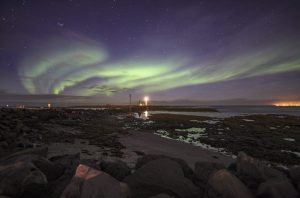
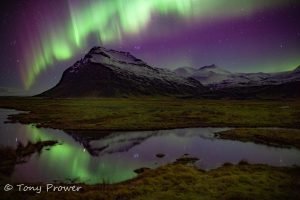
		<description><![CDATA[<p>The Aurora Borealis or Northern Lights is a light phenomenon that occurs as a result of solar winds reaching earth's outer atmosphere and burning different gases to give a range of different colours. The best place to see them would surely be from a very high viewpoint just outside earth's atmosphere.  Here on earth however, we need to travel to cold countries near the point where you would see the midnight sun in the summer and very short days in the winter. Iceland is one of those places. It is just touched by the Arctic circle on its very north isle of Grimsey, but most of Iceland is good for northern lights.</p>]]></description>
		<wfw:commentRss>http://icelandaurora.com/blog/2009/09/01/northern-lights-hotspots/feed/</wfw:commentRss>
		<slash:comments>0</slash:comments>
		</item>
		<item>
		<title>Photoshop Basics &#8211; noise reduction</title>
		<link>http://icelandaurora.com/blog/2009/08/21/photoshop-basics-noise-reduction/#utm_source=feed&amp;utm_medium=feed&amp;utm_campaign=feed</link>
		<comments>http://icelandaurora.com/blog/2009/08/21/photoshop-basics-noise-reduction/#comments</comments>
		<pubDate>Fri, 21 Aug 2009 22:41:09 +0000</pubDate>
		<dc:creator>Tony</dc:creator>
				<category><![CDATA[Photoshop Techniques]]></category>
		<category><![CDATA[avoid noise]]></category>
		<category><![CDATA[coloured dots]]></category>
		<category><![CDATA[digital noise]]></category>
		<category><![CDATA[DSLR]]></category>
		<category><![CDATA[electrical interference]]></category>
		<category><![CDATA[electrical noise]]></category>
		<category><![CDATA[full frame]]></category>
		<category><![CDATA[High iso]]></category>
		<category><![CDATA[image]]></category>
		<category><![CDATA[ISO]]></category>
		<category><![CDATA[light]]></category>
		<category><![CDATA[light source.]]></category>
		<category><![CDATA[Long exposures]]></category>
		<category><![CDATA[low-light]]></category>
		<category><![CDATA[night photography]]></category>
		<category><![CDATA[noise]]></category>
		<category><![CDATA[photo]]></category>
		<category><![CDATA[photography]]></category>
		<category><![CDATA[photoshop]]></category>
		<category><![CDATA[picture]]></category>
		<category><![CDATA[sensor]]></category>
		<category><![CDATA[tutorial]]></category>
		<category><![CDATA[unacceptable noise]]></category>
		<category><![CDATA[workshop]]></category>

		<guid isPermaLink="false">http://icelandaurora.com/blog/?p=284</guid>
		<description><![CDATA[<p>No camera is perfect. If we push it to the limits of iso and low-light scenes, we are going to experience the number one weakness of a digital camera - NOISE.</p>]]></description>
		<wfw:commentRss>http://icelandaurora.com/blog/2009/08/21/photoshop-basics-noise-reduction/feed/</wfw:commentRss>
		<slash:comments>0</slash:comments>
		</item>
		<item>
		<title>HDR4 &#8211; Photoshop enhancements</title>
		<link>http://icelandaurora.com/blog/2009/08/18/hdr4-photoshop-enhancements/#utm_source=feed&amp;utm_medium=feed&amp;utm_campaign=feed</link>
		<comments>http://icelandaurora.com/blog/2009/08/18/hdr4-photoshop-enhancements/#comments</comments>
		<pubDate>Tue, 18 Aug 2009 00:56:05 +0000</pubDate>
		<dc:creator>Tony</dc:creator>
				<category><![CDATA[Photoshop Techniques]]></category>
		<category><![CDATA[artefacts]]></category>
		<category><![CDATA[circle select]]></category>
		<category><![CDATA[cleaning]]></category>
		<category><![CDATA[Clone Brush]]></category>
		<category><![CDATA[colour]]></category>
		<category><![CDATA[curves]]></category>
		<category><![CDATA[digital]]></category>
		<category><![CDATA[exposure]]></category>
		<category><![CDATA[filter]]></category>
		<category><![CDATA[Gaussian blur]]></category>
		<category><![CDATA[graduated]]></category>
		<category><![CDATA[hdr]]></category>
		<category><![CDATA[Healing Tool]]></category>
		<category><![CDATA[hue]]></category>
		<category><![CDATA[image]]></category>
		<category><![CDATA[layers]]></category>
		<category><![CDATA[masks]]></category>
		<category><![CDATA[multiple exposure]]></category>
		<category><![CDATA[noise reduction]]></category>
		<category><![CDATA[opacity slider]]></category>
		<category><![CDATA[photo]]></category>
		<category><![CDATA[photography]]></category>
		<category><![CDATA[photoshop]]></category>
		<category><![CDATA[selection]]></category>
		<category><![CDATA[square select]]></category>
		<category><![CDATA[tonemapping]]></category>
		<category><![CDATA[tutorial]]></category>
		<category><![CDATA[video]]></category>
		<category><![CDATA[workshop]]></category>

		<guid isPermaLink="false">http://icelandaurora.wordpress.com/?p=107</guid>
		<description><![CDATA[<h3>HDR4 - Photoshop enhancements</h3>
<p>1) The first tutorial shows you how to fix strange HDR artefacts by using an original exposure as a selection aid and then using the clone tool to correct problems.</p>]]></description>
		<wfw:commentRss>http://icelandaurora.com/blog/2009/08/18/hdr4-photoshop-enhancements/feed/</wfw:commentRss>
		<slash:comments>0</slash:comments>
		</item>
	</channel>
</rss>