<?xml version="1.0" encoding="UTF-8"?>
<rss version="2.0"
	xmlns:content="http://purl.org/rss/1.0/modules/content/"
	xmlns:wfw="http://wellformedweb.org/CommentAPI/"
	xmlns:dc="http://purl.org/dc/elements/1.1/"
	xmlns:atom="http://www.w3.org/2005/Atom"
	xmlns:sy="http://purl.org/rss/1.0/modules/syndication/"
	xmlns:slash="http://purl.org/rss/1.0/modules/slash/"
	>

<channel>
	<title>Iceland Aurora Photographic &#187; digital</title>
	<atom:link href="http://icelandaurora.com/blog/tag/digital/feed/" rel="self" type="application/rss+xml" />
	<link>http://icelandaurora.com/blog</link>
	<description>Photography Techniques Weblog</description>
	<lastBuildDate>Sat, 14 Jan 2012 16:54:53 +0000</lastBuildDate>
	<language>en</language>
	<sy:updatePeriod>hourly</sy:updatePeriod>
	<sy:updateFrequency>1</sy:updateFrequency>
	<generator>http://wordpress.org/?v=3.3.1</generator>
		<item>
		<title>Cold climates</title>
		<link>http://icelandaurora.com/blog/2010/02/19/cold-climates/#utm_source=feed&#038;utm_medium=feed&#038;utm_campaign=feed</link>
		<comments>http://icelandaurora.com/blog/2010/02/19/cold-climates/#comments</comments>
		<pubDate>Fri, 19 Feb 2010 05:33:28 +0000</pubDate>
		<dc:creator>Tony</dc:creator>
				<category><![CDATA[Photography Techniques]]></category>
		<category><![CDATA[aurora borealis]]></category>
		<category><![CDATA[camera]]></category>
		<category><![CDATA[crampons]]></category>
		<category><![CDATA[dark]]></category>
		<category><![CDATA[digital]]></category>
		<category><![CDATA[DSLR]]></category>
		<category><![CDATA[footwear]]></category>
		<category><![CDATA[glacier]]></category>
		<category><![CDATA[gloves]]></category>
		<category><![CDATA[hands]]></category>
		<category><![CDATA[iceland]]></category>
		<category><![CDATA[landscape]]></category>
		<category><![CDATA[long exposure]]></category>
		<category><![CDATA[mittens]]></category>
		<category><![CDATA[night photography]]></category>
		<category><![CDATA[photography]]></category>
		<category><![CDATA[pictures]]></category>

		<guid isPermaLink="false">http://icelandaurora.com/blog/?p=648</guid>
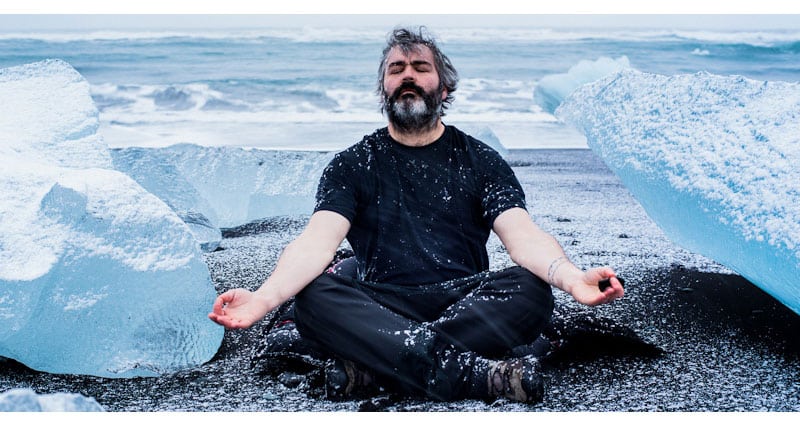
		<description><![CDATA[<h6>When you are taking your camera into cold conditions, it will be wise to follow a few simple precautions to protect you and your gear.</h6>
<h4>Feet</h4>
<p>One of the most important thing to protect! They are, after all, what is going to get you out of potential danger.  You need to think about protecting them first and foremost.  Cold climates can present several different dangers to feet. The first is cold.</p>]]></description>
		<wfw:commentRss>http://icelandaurora.com/blog/2010/02/19/cold-climates/feed/</wfw:commentRss>
		<slash:comments>0</slash:comments>
		</item>
		<item>
		<title>Night Photography 2 &#8211; overcoming the darkness</title>
		<link>http://icelandaurora.com/blog/2009/11/27/night-photography-2-overcoming-the-darkness/#utm_source=feed&#038;utm_medium=feed&#038;utm_campaign=feed</link>
		<comments>http://icelandaurora.com/blog/2009/11/27/night-photography-2-overcoming-the-darkness/#comments</comments>
		<pubDate>Fri, 27 Nov 2009 05:20:30 +0000</pubDate>
		<dc:creator>Tony</dc:creator>
				<category><![CDATA[Photography Techniques]]></category>
		<category><![CDATA[aurora borealis]]></category>
		<category><![CDATA[bracketting]]></category>
		<category><![CDATA[camera]]></category>
		<category><![CDATA[composition]]></category>
		<category><![CDATA[dark]]></category>
		<category><![CDATA[depth of field]]></category>
		<category><![CDATA[digital]]></category>
		<category><![CDATA[DOF]]></category>
		<category><![CDATA[DSLR]]></category>
		<category><![CDATA[exposure]]></category>
		<category><![CDATA[focus]]></category>
		<category><![CDATA[hdr]]></category>
		<category><![CDATA[highlights]]></category>
		<category><![CDATA[hyperfocal distance]]></category>
		<category><![CDATA[iceland]]></category>
		<category><![CDATA[image]]></category>
		<category><![CDATA[landscape]]></category>
		<category><![CDATA[light]]></category>
		<category><![CDATA[long exposure]]></category>
		<category><![CDATA[multiple exposure]]></category>
		<category><![CDATA[night photography]]></category>
		<category><![CDATA[photography]]></category>
		<category><![CDATA[pictures]]></category>
		<category><![CDATA[spirit level]]></category>
		<category><![CDATA[white balance]]></category>
		<category><![CDATA[wonky horizons]]></category>
		<category><![CDATA[workshop]]></category>

		<guid isPermaLink="false">http://icelandaurora.com/blog/?p=796</guid>
		<description><![CDATA[<p>So you have the night photography bug. You sit twiddling your thumbs in the daylight hours waiting for the light to fade so that you can go out and leave your camera perfectly still with its  shutter open for many tens of minutes.  You are not alone!!</p>]]></description>
		<wfw:commentRss>http://icelandaurora.com/blog/2009/11/27/night-photography-2-overcoming-the-darkness/feed/</wfw:commentRss>
		<slash:comments>6</slash:comments>
		</item>
		<item>
		<title>Advanced Photoshop &#8211; Dramatic Mono Conversion</title>
		<link>http://icelandaurora.com/blog/2009/11/01/advanced-photoshop-dramatic-mono-conversion/#utm_source=feed&#038;utm_medium=feed&#038;utm_campaign=feed</link>
		<comments>http://icelandaurora.com/blog/2009/11/01/advanced-photoshop-dramatic-mono-conversion/#comments</comments>
		<pubDate>Sun, 01 Nov 2009 12:31:16 +0000</pubDate>
		<dc:creator>Tony</dc:creator>
				<category><![CDATA[Photoshop Techniques]]></category>
		<category><![CDATA[adjustment]]></category>
		<category><![CDATA[black and white conversion]]></category>
		<category><![CDATA[Burn]]></category>
		<category><![CDATA[contrast]]></category>
		<category><![CDATA[curves]]></category>
		<category><![CDATA[digital]]></category>
		<category><![CDATA[Dodge]]></category>
		<category><![CDATA[DSLR]]></category>
		<category><![CDATA[dynamic range]]></category>
		<category><![CDATA[exposure]]></category>
		<category><![CDATA[hdr]]></category>
		<category><![CDATA[highlights]]></category>
		<category><![CDATA[image]]></category>
		<category><![CDATA[layers]]></category>
		<category><![CDATA[levels]]></category>
		<category><![CDATA[mask]]></category>
		<category><![CDATA[Mono Conversion]]></category>
		<category><![CDATA[photography]]></category>
		<category><![CDATA[photoshop]]></category>
		<category><![CDATA[pictures]]></category>
		<category><![CDATA[shadows]]></category>
		<category><![CDATA[tonemap]]></category>
		<category><![CDATA[tutorial]]></category>
		<category><![CDATA[workshop]]></category>

		<guid isPermaLink="false">http://icelandaurora.com/blog/?p=624</guid>
		<description><![CDATA[<p>This tutorial looks at ways to convert your image to black and white using the tools available in Photoshop CS3. There may be work-arounds for other versions of photoshop or other image editors, but the work horse in this tutorial is the powerful &#8216;Black and White Tool&#8217; in CS3 which has a great selection of filter pre-sets. To emulate this without the tool, you could try blending channel levels.</p>]]></description>
		<wfw:commentRss>http://icelandaurora.com/blog/2009/11/01/advanced-photoshop-dramatic-mono-conversion/feed/</wfw:commentRss>
		<slash:comments>2</slash:comments>
		</item>
		<item>
		<title>Photoshop basics &#8211; simple colour correction</title>
		<link>http://icelandaurora.com/blog/2009/10/29/photoshop-basics-simple-colour-correction/#utm_source=feed&#038;utm_medium=feed&#038;utm_campaign=feed</link>
		<comments>http://icelandaurora.com/blog/2009/10/29/photoshop-basics-simple-colour-correction/#comments</comments>
		<pubDate>Thu, 29 Oct 2009 10:36:28 +0000</pubDate>
		<dc:creator>Tony</dc:creator>
				<category><![CDATA[Photoshop Techniques]]></category>
		<category><![CDATA[adjustment]]></category>
		<category><![CDATA[basic]]></category>
		<category><![CDATA[camera]]></category>
		<category><![CDATA[colour]]></category>
		<category><![CDATA[correction]]></category>
		<category><![CDATA[curves]]></category>
		<category><![CDATA[digital]]></category>
		<category><![CDATA[DSLR]]></category>
		<category><![CDATA[easy]]></category>
		<category><![CDATA[image]]></category>
		<category><![CDATA[layers]]></category>
		<category><![CDATA[levels]]></category>
		<category><![CDATA[night photography]]></category>
		<category><![CDATA[photography]]></category>
		<category><![CDATA[photoshop]]></category>
		<category><![CDATA[pictures]]></category>
		<category><![CDATA[RAW]]></category>
		<category><![CDATA[simple]]></category>
		<category><![CDATA[tutorial]]></category>
		<category><![CDATA[waterfall]]></category>
		<category><![CDATA[workshop]]></category>

		<guid isPermaLink="false">http://icelandaurora.com/blog/?p=613</guid>
		<description><![CDATA[<p>This is a quick and simple technique for correcting the colour of an image in photoshop. It is not always successful and will not give you the desired results 100% of the time. But as it is quick and easy it is definitely one to try first.</p>]]></description>
		<wfw:commentRss>http://icelandaurora.com/blog/2009/10/29/photoshop-basics-simple-colour-correction/feed/</wfw:commentRss>
		<slash:comments>1</slash:comments>
		</item>
		<item>
		<title>Create a photoshop action &#8211; Colour boost</title>
		<link>http://icelandaurora.com/blog/2009/10/28/create-a-photoshop-action-colour-boost/#utm_source=feed&#038;utm_medium=feed&#038;utm_campaign=feed</link>
		<comments>http://icelandaurora.com/blog/2009/10/28/create-a-photoshop-action-colour-boost/#comments</comments>
		<pubDate>Wed, 28 Oct 2009 14:35:22 +0000</pubDate>
		<dc:creator>Tony</dc:creator>
				<category><![CDATA[Photoshop Techniques]]></category>
		<category><![CDATA[action]]></category>
		<category><![CDATA[adjustment]]></category>
		<category><![CDATA[automatic]]></category>
		<category><![CDATA[automation]]></category>
		<category><![CDATA[basic]]></category>
		<category><![CDATA[contrast]]></category>
		<category><![CDATA[curves]]></category>
		<category><![CDATA[digital]]></category>
		<category><![CDATA[highlights]]></category>
		<category><![CDATA[image]]></category>
		<category><![CDATA[LAB]]></category>
		<category><![CDATA[landscape]]></category>
		<category><![CDATA[layers]]></category>
		<category><![CDATA[levels]]></category>
		<category><![CDATA[lightness]]></category>
		<category><![CDATA[mask]]></category>
		<category><![CDATA[photography]]></category>
		<category><![CDATA[photoshop]]></category>
		<category><![CDATA[pictures]]></category>
		<category><![CDATA[saturation]]></category>
		<category><![CDATA[shadows]]></category>
		<category><![CDATA[tutorial]]></category>

		<guid isPermaLink="false">http://icelandaurora.com/blog/?p=597</guid>
		<description><![CDATA[<p>This tutorial offers an alternative to the saturation option when you wish to dramatically boost the colours in an image. We will make a photoshop action for this colour boosting technique so that it  can be applied easily to any image in the future. More information about creating an action can be found <a href="http://icelandaurora.com/blog/2009/08/17/creating-a-photoshop-action-sharpening/#utm_source=feed&amp;utm_medium=feed&amp;utm_campaign=feed">here</a>.</p>]]></description>
		<wfw:commentRss>http://icelandaurora.com/blog/2009/10/28/create-a-photoshop-action-colour-boost/feed/</wfw:commentRss>
		<slash:comments>0</slash:comments>
		</item>
		<item>
		<title>Photography techniques &#8211; Hyperfocal distance</title>
		<link>http://icelandaurora.com/blog/2009/10/27/photography-techniques-hyperfocal-distance/#utm_source=feed&#038;utm_medium=feed&#038;utm_campaign=feed</link>
		<comments>http://icelandaurora.com/blog/2009/10/27/photography-techniques-hyperfocal-distance/#comments</comments>
		<pubDate>Tue, 27 Oct 2009 10:13:47 +0000</pubDate>
		<dc:creator>Tony</dc:creator>
				<category><![CDATA[Photography Techniques]]></category>
		<category><![CDATA[adjustment]]></category>
		<category><![CDATA[camera]]></category>
		<category><![CDATA[depth of field]]></category>
		<category><![CDATA[digital]]></category>
		<category><![CDATA[DOF]]></category>
		<category><![CDATA[DSLR]]></category>
		<category><![CDATA[focus]]></category>
		<category><![CDATA[focusing]]></category>
		<category><![CDATA[focussing]]></category>
		<category><![CDATA[foreground]]></category>
		<category><![CDATA[hyper-focal]]></category>
		<category><![CDATA[hyperfocal distance]]></category>
		<category><![CDATA[image]]></category>
		<category><![CDATA[infinity]]></category>
		<category><![CDATA[landscape]]></category>
		<category><![CDATA[photography]]></category>
		<category><![CDATA[pictures]]></category>
		<category><![CDATA[sharpness]]></category>
		<category><![CDATA[tutorial]]></category>
		<category><![CDATA[workshop]]></category>

		<guid isPermaLink="false">http://icelandaurora.com/blog/?p=573</guid>
		<description><![CDATA[<p>Hyperfocal distance is the art in photography of achieving as much sharpness as possible throughout the image. In other words, it involves careful focusing adjustments to ensure that objects close to the camera and objects in the distance all have the same sharp focus, but more accurately, the hyperfocal distance is that point of focus where things are in focus from a point half way between you and the focal point all the way onward to infinity. Hyper-focal distance is more of a landscape photographer&#8217;s concept. When shooting landscapes, I never use auto-focus.</p>]]></description>
		<wfw:commentRss>http://icelandaurora.com/blog/2009/10/27/photography-techniques-hyperfocal-distance/feed/</wfw:commentRss>
		<slash:comments>3</slash:comments>
		</item>
		<item>
		<title>Northern lights hotspots</title>
		<link>http://icelandaurora.com/blog/2009/09/01/northern-lights-hotspots/#utm_source=feed&#038;utm_medium=feed&#038;utm_campaign=feed</link>
		<comments>http://icelandaurora.com/blog/2009/09/01/northern-lights-hotspots/#comments</comments>
		<pubDate>Tue, 01 Sep 2009 22:59:16 +0000</pubDate>
		<dc:creator>Tony</dc:creator>
				<category><![CDATA[Iceland Photo Locations]]></category>
		<category><![CDATA[arctic]]></category>
		<category><![CDATA[aurora borealis]]></category>
		<category><![CDATA[dark]]></category>
		<category><![CDATA[digital]]></category>
		<category><![CDATA[DSLR]]></category>
		<category><![CDATA[exposure]]></category>
		<category><![CDATA[iceland]]></category>
		<category><![CDATA[image]]></category>
		<category><![CDATA[landscape]]></category>
		<category><![CDATA[long exposure]]></category>
		<category><![CDATA[night photography]]></category>
		<category><![CDATA[photography]]></category>
		<category><![CDATA[photoshop]]></category>
		<category><![CDATA[RAW]]></category>
		<category><![CDATA[summer]]></category>
		<category><![CDATA[weather]]></category>
		<category><![CDATA[white balance]]></category>
		<category><![CDATA[winter]]></category>

		<guid isPermaLink="false">http://icelandaurora.com/blog/?p=400</guid>
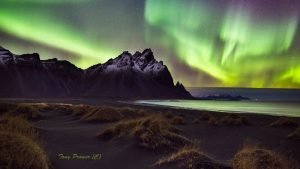
		<description><![CDATA[<p>The Aurora Borealis or Northern Lights is a light phenomenon that occurs as a result of solar winds reaching earth&#8217;s outer atmosphere and burning different gases to give a range of different colours. The best place to see them would surely be from a very high viewpoint just outside earth&#8217;s atmosphere.  Here on earth however, we need to travel to cold countries near the point where you would see the midnight sun in the summer and very short days in the winter. Iceland is one of those places. It is just touched by the Arctic circle on its very north isle of Grimsey, but most of Iceland is good for northern lights.</p>]]></description>
		<wfw:commentRss>http://icelandaurora.com/blog/2009/09/01/northern-lights-hotspots/feed/</wfw:commentRss>
		<slash:comments>0</slash:comments>
		</item>
		<item>
		<title>HDR4 &#8211; Photoshop enhancements</title>
		<link>http://icelandaurora.com/blog/2009/08/18/hdr4-photoshop-enhancements/#utm_source=feed&#038;utm_medium=feed&#038;utm_campaign=feed</link>
		<comments>http://icelandaurora.com/blog/2009/08/18/hdr4-photoshop-enhancements/#comments</comments>
		<pubDate>Tue, 18 Aug 2009 00:56:05 +0000</pubDate>
		<dc:creator>Tony</dc:creator>
				<category><![CDATA[Photoshop Techniques]]></category>
		<category><![CDATA[artefacts]]></category>
		<category><![CDATA[circle select]]></category>
		<category><![CDATA[cleaning]]></category>
		<category><![CDATA[Clone Brush]]></category>
		<category><![CDATA[colour]]></category>
		<category><![CDATA[curves]]></category>
		<category><![CDATA[digital]]></category>
		<category><![CDATA[exposure]]></category>
		<category><![CDATA[filter]]></category>
		<category><![CDATA[Gaussian blur]]></category>
		<category><![CDATA[graduated]]></category>
		<category><![CDATA[hdr]]></category>
		<category><![CDATA[Healing Tool]]></category>
		<category><![CDATA[hue]]></category>
		<category><![CDATA[image]]></category>
		<category><![CDATA[layers]]></category>
		<category><![CDATA[masks]]></category>
		<category><![CDATA[multiple exposure]]></category>
		<category><![CDATA[noise reduction]]></category>
		<category><![CDATA[opacity slider]]></category>
		<category><![CDATA[photo]]></category>
		<category><![CDATA[photography]]></category>
		<category><![CDATA[photoshop]]></category>
		<category><![CDATA[selection]]></category>
		<category><![CDATA[square select]]></category>
		<category><![CDATA[tonemapping]]></category>
		<category><![CDATA[tutorial]]></category>
		<category><![CDATA[video]]></category>
		<category><![CDATA[workshop]]></category>

		<guid isPermaLink="false">http://icelandaurora.wordpress.com/?p=107</guid>
		<description><![CDATA[<h3>HDR4 &#8211; Photoshop enhancements</h3>
<p>1) The first tutorial shows you how to fix strange HDR artefacts by using an original exposure as a selection aid and then using the clone tool to correct problems.</p>]]></description>
		<wfw:commentRss>http://icelandaurora.com/blog/2009/08/18/hdr4-photoshop-enhancements/feed/</wfw:commentRss>
		<slash:comments>0</slash:comments>
		</item>
		<item>
		<title>Which DSRL should I buy?</title>
		<link>http://icelandaurora.com/blog/2009/08/16/which-dsrl-should-i-buy/#utm_source=feed&#038;utm_medium=feed&#038;utm_campaign=feed</link>
		<comments>http://icelandaurora.com/blog/2009/08/16/which-dsrl-should-i-buy/#comments</comments>
		<pubDate>Sun, 16 Aug 2009 11:28:07 +0000</pubDate>
		<dc:creator>Tony</dc:creator>
				<category><![CDATA[Blog, blog, blog]]></category>
		<category><![CDATA[advice]]></category>
		<category><![CDATA[buying]]></category>
		<category><![CDATA[camera]]></category>
		<category><![CDATA[Canon]]></category>
		<category><![CDATA[capturing]]></category>
		<category><![CDATA[composition]]></category>
		<category><![CDATA[Crop Factor]]></category>
		<category><![CDATA[digital]]></category>
		<category><![CDATA[digital technology]]></category>
		<category><![CDATA[display screen]]></category>
		<category><![CDATA[DSLR]]></category>
		<category><![CDATA[DSLRs]]></category>
		<category><![CDATA[features]]></category>
		<category><![CDATA[focusing]]></category>
		<category><![CDATA[focussing]]></category>
		<category><![CDATA[Frames per second]]></category>
		<category><![CDATA[Gadgets]]></category>
		<category><![CDATA[hobby]]></category>
		<category><![CDATA[images]]></category>
		<category><![CDATA[ISO]]></category>
		<category><![CDATA[landscape]]></category>
		<category><![CDATA[lens]]></category>
		<category><![CDATA[lenses]]></category>
		<category><![CDATA[Live view]]></category>
		<category><![CDATA[low-light]]></category>
		<category><![CDATA[Megapixels]]></category>
		<category><![CDATA[Nikon]]></category>
		<category><![CDATA[noise]]></category>
		<category><![CDATA[Olympus]]></category>
		<category><![CDATA[Panasonic]]></category>
		<category><![CDATA[photography]]></category>
		<category><![CDATA[pictures]]></category>
		<category><![CDATA[potrait photographer]]></category>
		<category><![CDATA[reviews]]></category>
		<category><![CDATA[Sensitivity]]></category>
		<category><![CDATA[sensor]]></category>
		<category><![CDATA[Sensor cleaning]]></category>
		<category><![CDATA[shutter actuations]]></category>
		<category><![CDATA[Sigma]]></category>
		<category><![CDATA[Sony]]></category>
		<category><![CDATA[Tamron]]></category>
		<category><![CDATA[third party lens]]></category>
		<category><![CDATA[view finder]]></category>
		<category><![CDATA[wide angles]]></category>

		<guid isPermaLink="false">http://icelandaurora.com/blog/?p=252</guid>
		<description><![CDATA[<h5>This site is all about creating great images from a DSLR (Digital Single Lens Reflex camera). So what should you look for if you are buying one?</h5>
<p>The question is very pertinent as there are a lot of very good DSLRs on the market these days. Ten years ago, it wasn&#8217;t even worth buying the best DSLR because the quality didn&#8217;t compare to film. But in many ways, digital technology has surpassed film.</p>]]></description>
		<wfw:commentRss>http://icelandaurora.com/blog/2009/08/16/which-dsrl-should-i-buy/feed/</wfw:commentRss>
		<slash:comments>0</slash:comments>
		</item>
		<item>
		<title>HDR2 &#8211; RAW file treatment</title>
		<link>http://icelandaurora.com/blog/2009/08/14/hdr2-raw-file-treatment/#utm_source=feed&#038;utm_medium=feed&#038;utm_campaign=feed</link>
		<comments>http://icelandaurora.com/blog/2009/08/14/hdr2-raw-file-treatment/#comments</comments>
		<pubDate>Fri, 14 Aug 2009 05:49:24 +0000</pubDate>
		<dc:creator>Tony</dc:creator>
				<category><![CDATA[Photography Techniques]]></category>
		<category><![CDATA[CA]]></category>
		<category><![CDATA[chromatic aberration]]></category>
		<category><![CDATA[contrast]]></category>
		<category><![CDATA[curves]]></category>
		<category><![CDATA[digital]]></category>
		<category><![CDATA[exposure]]></category>
		<category><![CDATA[files]]></category>
		<category><![CDATA[hdr]]></category>
		<category><![CDATA[highlights]]></category>
		<category><![CDATA[levels]]></category>
		<category><![CDATA[lightroom]]></category>
		<category><![CDATA[multiple exposure]]></category>
		<category><![CDATA[noise reduction]]></category>
		<category><![CDATA[photography]]></category>
		<category><![CDATA[processing]]></category>
		<category><![CDATA[RAW]]></category>
		<category><![CDATA[shadows]]></category>
		<category><![CDATA[tiffs]]></category>
		<category><![CDATA[treatment]]></category>
		<category><![CDATA[workshop]]></category>

		<guid isPermaLink="false">http://icelandaurora.wordpress.com/?p=103</guid>
		<description><![CDATA[<h3>HDR2 &#8211; RAW file treatment</h3>
<p>Click below to load an interactive flash tutorial covering the basic processing of files to be used in an HDR image&#8230;</p>]]></description>
		<wfw:commentRss>http://icelandaurora.com/blog/2009/08/14/hdr2-raw-file-treatment/feed/</wfw:commentRss>
		<slash:comments>0</slash:comments>
		</item>
	</channel>
</rss>